
How to Call a Crypto Exchange API Without Getting Blocked

 Prefer us on Google


Most people who fail at their first exchange API call don't fail at trading logic. They fail on a clock that's 40 seconds out of sync, a permission checkbox they never ticked, or a WebSocket handshake missing one header. The mechanics of how to call a crypto exchange API are simple enough to explain in a page — it's the guardrails around the call that decide whether it returns data or an error code.
This guide walks through what an exchange API is, how a request is actually assembled, which permissions to enable, and where API keys realistically get compromised. All platform-specific figures below come from WEEX's spot and futures API documentation, last updated 2026-04-14, and reflect what was published as of August 2026. Rate limits and permission models differ between exchanges and change over time — check the live docs before you build against any number here.
What a Crypto Exchange API Actually Lets You Do
An exchange API is a set of endpoints that let software do what you'd otherwise do by clicking: pull prices, read your balance, place and cancel orders, and stream live market data. It replaces the browser, not the exchange.
The split that matters most for a first call is public versus private. Public endpoints hand out market data to anyone. Private endpoints touch your account and require a signed, authenticated request.
| Endpoint type | What it covers | Authentication needed |
|---|---|---|
| Public | Prices, candlesticks, order book depth, trading pair configs, server time | None |
| Private | Balances, positions, order placement, cancellation, trade history | API key, signature, timestamp, passphrase |
Two things an exchange API generally does not do: it doesn't give you a strategy, and on WEEX it doesn't give you a withdrawal switch — the documented API key permission types cover reading and trading only. That distinction matters more than it sounds, and it comes up again below.
One more limit worth knowing before you plan a stack: WEEX does not currently support TradingView webhook trading or the FIX protocol. If your intended workflow depends on either, that decision gets made now, not after you've written an integration.
How to Call an Exchange API in Four Steps
A private API call is a normal HTTPS request carrying four pieces of proof. Get all four right and the call works; get one wrong and you get a specific error code telling you which.
Step 1 — Create and store the credentials. On WEEX, keys are created from Account → API Management. Each account can hold up to 10 API key groups. Creation returns three values: an APIKey (the public identifier), a SecretKey (used to sign), and a Passphrase you define yourself. The Passphrase cannot be recovered or modified — lose it and your only option is to delete the key and create a new one. Keep it alphanumeric; WEEX's docs specifically advise against special characters.
Step 2 — Build the string to sign. WEEX concatenates, in order: the millisecond timestamp, the HTTP method in uppercase, the request path, then the query string prefixed with a question mark if one exists, then the request body if one exists. For a depth request that produces something like 1591089508404GET/api/v3/market/depth?symbol=BTCUSDT&limit=20. Order is not negotiable, and neither is case — symbols must be uppercase, and a lowercase btcusdt returns invalid symbol rather than a helpful hint.
Step 3 — Sign it. Hash the string with HMAC SHA256 using your SecretKey, then Base64-encode the result. That value goes into the ACCESS-SIGN header alongside ACCESS-TIMESTAMP. The full signature specification sits in the WEEX docs and is worth reading line by line — signature construction is where most first integrations break.
Step 4 — Send it, then wait 15 minutes if it fails. This is the step nobody warns you about. A newly created or newly modified API key takes roughly 15 minutes to propagate across WEEX's systems. Developers routinely burn an afternoon debugging a signature that was correct all along, on a key that simply hadn't gone live yet.
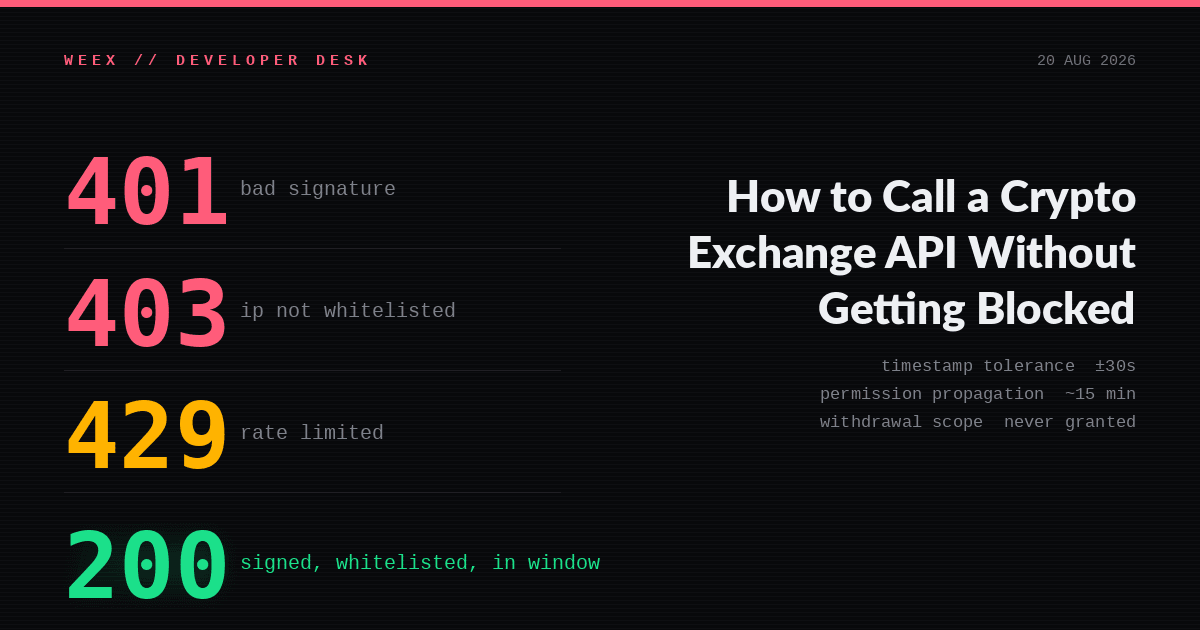
A note on the clock, because it's the single most common self-inflicted failure: requests are rejected if the timestamp deviates more than 30 seconds from server time. If your machine drifts — cheap VPS instances drift constantly — query the server time endpoint and sync against it rather than trusting the local clock.
API Key Permissions: What to Enable and What to Leave Off
The governing principle is least privilege. A tool that only reads balances should never hold trading rights. WEEX enforces this by making permissions independent rather than cumulative, and by defaulting new keys to read-only.
| Permission | What it allows | Typical use |
|---|---|---|
| Readonly (default) | Query endpoints only — balances, positions, trade history. No orders. | Portfolio dashboards, tax and ledger syncing, market analysis |
| Spot | Place and cancel spot orders, query spot assets | Spot bots, automated rebalancing |
| Futures | Open and close positions, set TP/SL, query positions | Hedging, higher-frequency contract strategies |
Readonly is the setting most users should stop at. If you're feeding a portfolio tracker, a tax tool, or a monitoring dashboard, a read-only key does the job with no path from a leaked credential to a lost position.
If you do need trading, enable exactly one market. A spot bot with Futures permission attached is carrying risk it will never use. When an order returns error -1052 (insufficient permissions), the cause is almost always this checkbox — the key was created before the trading permission was selected, or the permission was granted for the wrong market.
Bind an IP whitelist while you're in the creation flow. WEEX flags unrestricted keys as a security risk in its own documentation, and the enforcement is real: a request from a non-whitelisted address returns -1056 (invalid IP) regardless of whether the signature is perfect. That's the point. A whitelisted key that leaks is a key an attacker cannot use from their own infrastructure.
-- Price
Is Exchange API Trading Safe? Where Keys Actually Leak
API trading is safe in the sense that the authentication design is sound — HMAC signing with a rolling timestamp defeats replay attacks, and permission scoping limits the blast radius. It is unsafe in the sense that almost every real-world loss comes from how the key was handled, not from the protocol.
The leak paths that show up repeatedly:
- Keys committed to a public repository. Hardcoded credentials in a config file pushed to GitHub get scraped within minutes by automated crawlers.
- Keys pasted into a third-party bot or "signal" service. Handing a trading-enabled key to an unvetted platform is functionally handing over your positions. If a service demands trading permission for something that only needs data, that's the answer to whether you should use it.
- Keys shared in support chats. No legitimate exchange support agent asks for a SecretKey or Passphrase. WEEX states this plainly in its developer notes.
- One key doing everything, forever. A single unrotated key across dev, staging, and production means a leak anywhere is a leak everywhere.
What experienced operators actually do is more boring than it sounds: separate keys per environment, read-only wherever trading isn't strictly required, IP whitelists on every trading key, credentials in environment variables or a secrets manager rather than in code, and periodic rotation. WEEX also requires phone or Google Authenticator binding before API access is granted — error -1055 is the platform telling you the account itself isn't hardened enough yet.
One operational risk that gets underweighted: your own bot. A loop with no error handling that fires cancel-and-replace orders at full speed will hit rate limits, get throttled mid-strategy, and leave you holding a position the code thinks it closed. WEEX's developer guidance is explicit that API trading carries high risk and that error handling belongs in the code from day one, not after the first incident.
Rate Limits and the Errors That Kill a First Call
Rate limits are where "it worked in testing" turns into "it stopped working in production." WEEX applies two separate meters: IP-based weight for most endpoints, and account-based order counts for order placement. Order placement does not consume IP weight, so the two budgets are spent independently.
| Business type | Operation | Documented limit |
|---|---|---|
| Spot trading | Place order | 100 requests / 10s |
| Spot trading | Cancel order | 80 / 10s, or 200 / 1 min |
| Futures trading | Place order | 300 requests / min |
| Network connection | REST IP weight | 500 weight / 10s per IP |
| WebSocket | Concurrent connections | 20 per IP |
Source: WEEX spot and futures API FAQ, last updated 2026-04-14.
Exceed a limit and you get HTTP 429 plus a 10-second ban. You don't have to guess how close you are — every response carries headers reporting consumption: X-USED-WEIGHT and X-REMAINING-WEIGHT for IP weight, X-ORDER-COUNT and X-ORDER-REMAINING for order counts, each suffixed with the interval (X-USED-WEIGHT-1M covers the trailing minute). Reading those headers and backing off before you hit the wall is the difference between a resilient integration and one that gets banned every busy hour. WEEX publishes the per-endpoint weights in its access restriction rules.
When a call fails, the error code names the cause precisely. These are the ones that account for most first-integration failures:
| Code | Meaning | Usual cause |
|---|---|---|
| -1046 | Request timestamp expired | Local clock more than 30s off server time |
| -1049 | API key or passphrase incorrect | Typo, or key not yet propagated (wait 15 min) |
| -1052 | Insufficient permissions | Spot or Futures permission not enabled on the key |
| -1055 | User must bind phone or Google Authenticator | Account 2FA not configured |
| -1056 | Invalid IP address | Calling from outside the IP whitelist |
| -1121 | Invalid symbol | Lowercase symbol, or a pair not returned by the products endpoint |
| HTTP 403 (WebSocket) | Connection blocked | Missing User-Agent header in the handshake |
That last row is the one that wastes the most hours. WEEX's firewall rejects WebSocket handshakes that arrive without a User-Agent header — the content can be anything, but the field must be present. Nothing in a generic WebSocket tutorial will tell you that, and the 403 gives no hint. The complete error code reference covers the rest.
One version note: WEEX recommends building against V3 endpoints. V1 and V2 are being deprecated, so an integration written against older docs is inheriting a migration it doesn't need.
Test Before You Trade: Paper Trading Endpoints
The right sequence is read, then simulate, then trade small. Skipping to live orders with real balance is how a misplaced decimal becomes a market order.
WEEX added dedicated paper trading endpoints on the futures side, running the full order lifecycle against simulated funds denominated in SUSDT. You can query a simulated balance, view long and short positions under hedge mode, place market and limit orders, and pull simulated order history — the same request structure and signing rules as live trading, without real assets at risk. For debugging hedge-mode logic or validating that your signature and error handling actually work under load, that's the environment to break things in.
Before that, there's a free sanity check that costs nothing: call a public endpoint. Fetch server time or ticker data with no authentication at all. If that returns clean JSON, your network path and request construction are fine and any subsequent failure is isolated to authentication — which narrows debugging from "everything" to "one header."
What to Take Away
Learning how to call a crypto exchange API is mostly learning its failure modes. The request itself is four components — key, signature, timestamp, path — and the signature is a single HMAC SHA256 hash you'll write once and never think about again. What separates a working integration from a broken one is the surrounding discipline: keys scoped to read-only unless trading is genuinely required, an IP whitelist on anything that can place orders, a clock synced to server time, and backoff logic that reads the remaining-weight headers instead of hammering until it gets banned.
If you're starting from zero, the order is: create a read-only key, call a public endpoint, call an authenticated read endpoint, then simulate, then trade the smallest size your strategy allows. The WEEX API hub covers spot and futures access across 100+ assets, and the developer FAQ answers the permission, rate limit, and symbol-format questions that generate most support tickets.
FAQ
1. Do I need to know how to code to use an exchange API?
For direct API calls, yes — you need enough programming ability to construct signed HTTP requests and handle errors. Non-developers usually access exchange APIs indirectly through third-party portfolio trackers, tax tools, or trading bots, where you only paste in a key. In that case, use a read-only key unless the tool genuinely needs to trade.
2. Can someone withdraw my funds if my API key leaks?
Not through WEEX's documented API key permissions, which cover reading and trading only — withdrawal is not among the listed API permission types as of the April 2026 documentation. A leaked trading key can still do damage by placing or closing orders against your account, so a leak is serious regardless. Delete a compromised key immediately.
3. Why does my API key work in testing but fail in production?
The two most common causes are IP whitelisting and rate limits. A key whitelisted to your development machine returns -1056 from a production server, and traffic volumes that pass in testing can exceed the 500-weight-per-10-second IP budget under real load.
4. How long does a new API key take to work?
Roughly 15 minutes on WEEX for a newly created or modified key to propagate across the system. If authentication fails immediately after creation, wait before you start rewriting your signature code.
5. What's the difference between REST and WebSocket for exchange APIs?
REST is request-and-response: you ask for data or send an order and get one answer. WebSocket keeps a persistent connection open and pushes updates as they happen, which is what you want for live prices, order book depth, and fill notifications. Most integrations use both — REST for orders and account queries, WebSocket for streaming data. WEEX caps WebSocket connections at 20 per IP.
6. Does WEEX support TradingView alerts or FIX API?
Neither is supported at present. Strategies that depend on TradingView webhook execution or FIX connectivity need a different execution path.
Risk Warning
Crypto assets are volatile and API-driven trading can amplify both the speed and the size of losses, up to and including the total loss of the funds in your trading account. Automated strategies fail in ways manual trading does not: a bot that hits a rate limit mid-execution may leave a position open that your code believes is closed, a WebSocket disconnection can suppress fill notifications while orders continue to execute, and a logic error can place hundreds of unintended orders before you notice. Leverage on futures compounds each of these. Custody and credential risk are equally real — a leaked SecretKey or Passphrase can be used to trade your account, and a lost Passphrase cannot be recovered. Use read-only permissions wherever trading is not required, enable IP whitelisting, test against paper trading endpoints before committing real funds, and never size a first live deployment at anything you cannot afford to lose. Nothing above is investment advice.
This content is provided for general informational purposes only and doesn't constitute financial, investment, legal, or tax advice. Any events, rewards, online promotions, or related information mentioned herein should not be considered a recommendation, solicitation, or invitation to purchase, sell, trade, or otherwise deal in any crypto assets. Crypto assets are highly volatile and may result in loss. The availability of WEEX services, products, and related events may vary by region. You are responsible for ensuring that your participation is in accordance with applicable local laws and regulations.
You may also like

How to Log In to MetaMask: Unlock, Troubleshooting and Recovery (2026)

WEEX Mini App Launch Rewards: Trial Funds, BTC Airdrops, and an iPhone 17 Pro Giveaway Explained

How to Buy USDT with JazzCash in Pakistan Safely in 2026

JazzCash Crypto Guide: How PKR-to-USDT P2P Payments Work in Pakistan

H/USDT After the Unlock: What Humanity Protocol’s New Supply Means for Traders

Why Is DGrid AI (DGAI) Trending After Its Exchange Debut?

XSolut Coin Extends Its Decline to 7 Straight Days: What Continued Selling Pressure Actually Signals
MORTY After Viral Meme Rally: Overvalued or Growth Story?

SPCX Stock Keeps Swinging Around Its $135 IPO Price : What the Lockup Schedule Still Ahead Actually Means
What Is TermMax (TMX)? Inside the New Fixed-Rate DeFi Token Launching Today
What Is XST Coin? Why There Are Multiple Tokens Using the XSolut Name on Coinbase
What Is IMX Crypto? How Immutable's Layer 2 Became the Largest Web3 Gaming Blockchain
Michael Saylor Sold 1,690 Bitcoin at a Loss: What Strategy Inc.'s August Bitcoin Sale Actually Reveals
How High Can Sandisk Stock Go? 2026 Price Target and Analyst Outlook

CLARITY Act: What Happens in the Senate's September Window
Is WEEX Safe? Verify the Reserves and 1,000 BTC Fund Yourself
Crypto Exchange API: Permissions, Signing and Rate Limits
What Is a Crypto Exchange API and Which Permissions to Enable
WEEX Daily Lucky Wheel and Event Airdrops: How the Rewards Actually Work
What Is ISOR Coin (Iran Strategic Oil Resource)? Facts, Risks and Where It Trades
How to Earn WXT Rewards with WEEX Trade to Earn S6 Futures Event
Roblox Stock Is Down 68% in the Past Year: What Age Verification and Sands Capital's Exit Actually Signal
Is XST Crypto a Long-Term Opportunity or Short-Term Hype?

Meta Stock Price Is Down 30% From Its 52 Week High: Is META a Buy After the Child Safety Trial Drop
How to Log In to MetaMask: Unlock, Troubleshooting and Recovery (2026)
WEEX Mini App Launch Rewards: Trial Funds, BTC Airdrops, and an iPhone 17 Pro Giveaway Explained
How to Buy USDT with JazzCash in Pakistan Safely in 2026
JazzCash Crypto Guide: How PKR-to-USDT P2P Payments Work in Pakistan
H/USDT After the Unlock: What Humanity Protocol’s New Supply Means for Traders
Why Is DGrid AI (DGAI) Trending After Its Exchange Debut?


