
WEEX API Guide: From API Key to Your First Signed Order

 Prefer us on Google
Most WEEX API integrations don't fail on strategy logic. They fail in the first hour, on four things that aren't obvious until you hit them: the key you just created isn't live yet, the pair you want to trade isn't on the API whitelist, your WebSocket connection is refused because you didn't send a User-Agent header, and your signature is a byte off because you signed a re-serialized body instead of the exact string you sent.
This guide walks the WEEX API end to end — key creation, permissions, the signing rule, rate limits, the error codes that actually stall builds, and the paper-trading endpoints that let you test all of it without capital at risk. Everything below was checked against the live V3 documentation on August 21, 2026.
What the WEEX API covers: spot, futures and WebSocket
The WEEX API is split into two independent products with two independent REST domains. Spot lives on api-spot.weex.com under the /api/v3 path. Futures lives on api-contract.weex.com under /capi/v3. They share a signing scheme and a header set, but nothing else — separate permission flags, separate WebSocket hosts, separate order parameters.
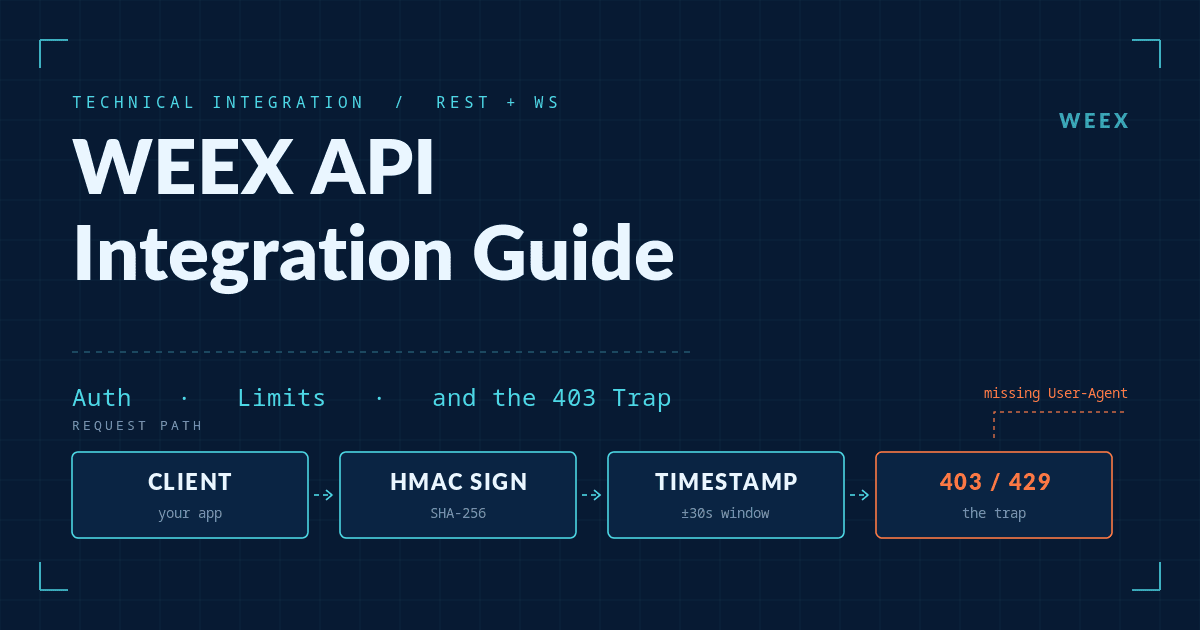
Endpoints fall into two access classes. Public endpoints (server time, order book depth, klines, funding rate, 24h tickers) need no authentication at all, which makes them the fastest way to confirm your network path works before you touch signing. Private endpoints — balances, positions, orders — require the full four-header signature on every request.
For anything tick-level, WEEX pushes you toward WebSocket rather than REST polling, and it's the right call: the public channels carry ticker, depth and trade streams, and a private channel carries account, position and order updates. Polling depth over REST to build an order book will burn your IP weight budget for no benefit.
One dated reference point for scale: as of August 21, 2026, the BTC/USDT perpetual contract was quoting a last price of 65,088.8 USDT on the WEEX futures book — the same tick your /capi/v3/market/ticker24h call returns.
How to create a WEEX API key and set permissions
Keys are created from Account → API Management on the web platform. Each account can hold up to 10 API key groups.
Creation returns three values, and the third is the one people lose:
- APIKey — public identifier, sent in the
ACCESS-KEYheader. - SecretKey — the HMAC signing secret. Shown once.
- Passphrase — user-defined, sent in
ACCESS-PASSPHRASE. It cannot be changed and cannot be recovered. Lose it and you recreate the key.
Three configuration details cause more support tickets than everything else combined:
- New keys default to Read-only. Trade permission is a separate checkbox, and it's product-specific —
Spotfor spot trading,Futuresfor contracts. Checking one does not enable the other. Placing an order on a Read-only key returns-1052. - Keys take roughly 15 minutes to propagate globally. A key that authenticates fine and then fails on a different endpoint is usually just not fully live yet. Wait before you start debugging your signature.
- Keep the passphrase alphanumeric. WEEX explicitly recommends no special characters. Encoding mismatches in special characters are a genuinely miserable class of bug to chase.
Bind an IP whitelist while you're on the creation screen. An unbound key is a bearer credential that works from anywhere on the internet, and if a machine holding it is compromised, the whitelist is the only thing standing between an attacker and your positions.
WEEX spot API vs futures API: the differences that matter
This is the table to keep open while you build. The two products look symmetrical and are not.
| Item | Spot API | Futures API |
|---|---|---|
| REST domain | https://api-spot.weex.com | https://api-contract.weex.com |
| Base path | /api/v3 | /capi/v3 |
| Place order | POST /api/v3/order | POST /capi/v3/order |
| Trade permission flag | Spot | Futures |
| WebSocket public | wss://ws-spot.weex.com/v3/ws/public | wss://ws-contract.weex.com/v3/ws/public |
| WebSocket private | wss://ws-spot.weex.com/v3/ws/private | wss://ws-contract.weex.com/v3/ws/private |
positionSide param | Not used | Required — LONG or SHORT |
timeInForce values | GTC, IOC, FOK | GTC, IOC, FOK, POST_ONLY |
newClientOrderId | Optional (system assigns if omitted) | Required, 1–36 chars |
| Built-in TP/SL on entry | No | Yes — tpTriggerPrice / slTriggerPrice |
| Symbol whitelist endpoint | — | GET /capi/v3/market/apiTradingSymbols |
Two of these bite hardest. Futures requires newClientOrderId on every order, so a spot-first codebase that omits it will be rejected the moment you point it at contracts. And POST_ONLY exists only on futures — a maker-only strategy written against the spot API has no native way to guarantee it doesn't cross the spread.
The futures TP/SL parameters are worth more attention than they usually get. Attaching tpTriggerPrice and slTriggerPrice to the entry order means your stop exists on the exchange from the moment the position opens, rather than being placed by a follow-up call that may not survive a process crash or a network partition. You can also choose the trigger source per leg via TpWorkingType and SlWorkingType — MARK_PRICE for the stop is the safer default, since CONTRACT_PRICE can be spiked by a thin last-trade print on an illiquid pair.
How to sign a WEEX API request correctly
Every private call carries four headers: ACCESS-KEY, ACCESS-SIGN, ACCESS-PASSPHRASE, ACCESS-TIMESTAMP, plus Content-Type: application/json.
The signing rule is identical on both domains. Build this string:
timestamp + METHOD + requestPath + "?" + queryString + bodyDrop the ? and queryString when there are no query parameters; drop body when there is none. HMAC-SHA256 it with your SecretKey, then Base64-encode the result.
import base64, hashlib, hmac, json, time, requests

API_KEY, SECRET, PASSPHRASE = "...", "...", "..."
BASE = "https://api-contract.weex.com"
path = "/capi/v3/order"
body = json.dumps({
    "symbol": "BTCUSDT", "side": "BUY", "positionSide": "LONG",
    "type": "LIMIT", "timeInForce": "GTC", "quantity": "0.01",
    "price": "60000", "newClientOrderId": "my-order-0001",
}, separators=(",", ":"))

ts = str(int(time.time() * 1000))
message = ts + "POST" + path + body
sign = base64.b64encode(
    hmac.new(SECRET.encode(), message.encode(), hashlib.sha256).digest()
).decode()

r = requests.post(BASE + path, data=body, headers={
    "ACCESS-KEY": API_KEY, "ACCESS-SIGN": sign,
    "ACCESS-PASSPHRASE": PASSPHRASE, "ACCESS-TIMESTAMP": ts,
    "Content-Type": "application/json",
})
Note data=body, not json=payload. Sign the exact bytes you transmit. If your HTTP client re-serializes the dict — reordering keys or inserting spaces after separators — the server computes a different digest and you get -1047, with no hint that the cause was whitespace.
The timestamp window is 30 seconds against WEEX server time. If your host clock drifts, requests start failing intermittently in a way that looks like a signing bug. Call GET /capi/v3/market/time and track the offset rather than trusting local time.
WebSocket private channels sign differently and this catches people: the message is only timestamp + requestPath, where requestPath is /v3/ws/private. No method, no body.
One documentation quirk worth knowing before you copy-paste: the futures Signature page illustrates the rule using spot paths (/api/v3/order). The rule is correct; the example paths are not the futures ones. Use /capi/v3/... when you're on the contract domain.
WEEX API rate limits: two buckets, not one
WEEX runs two independent rate-limit counters, and conflating them is why bots get 429s they didn't expect.
| Bucket | Scoped to | Documented limit | Response headers |
|---|---|---|---|
| REST weight (all non-order endpoints) | IP address | 500 weight / 10 sec / IP | X-USED-WEIGHT-*, X-REMAINING-WEIGHT-* |
| ORDERS (place + batch place only) | Account userId | 300 orders / min (futures) | X-ORDER-COUNT-*, X-ORDER-REMAINING-* |
| WebSocket connections | IP address | 20 concurrent, 300 connect attempts / 5 min | — |
| WebSocket subscriptions | Per connection | 100 channels, 240 ops / hour | — |
The consequential detail: order placement consumes zero IP weight, and cancels and queries consume zero order count. They are genuinely separate ledgers. A market-making loop that places and cancels aggressively will exhaust the ORDERS bucket on placement while its cancel traffic quietly drains IP weight — and neither counter warns you about the other.
Read the headers rather than counting requests client-side. X-REMAINING-WEIGHT-1M and X-ORDER-REMAINING-1M come back on every call and reflect the server's view, which is the only view that matters. Exceeding a limit returns HTTP 429 and triggers a 10-second ban, and continuing to hammer through a 429 is the fastest route to having API access disabled by risk control.
If you're running several strategies from one box, remember the IP bucket is shared. Two bots on one server compete for the same 500 weight per 10 seconds.
The WEEX API errors that stall most integrations
Error responses are a code and message pair. These are the ones that show up during integration rather than in production:
| Code | Meaning | Actual cause, most of the time |
|---|---|---|
-1047 | API auth failed | Signed string doesn't match transmitted bytes, or wrong base path for the domain |
-1046 | Timestamp expired | Host clock drift beyond the 30-second window |
-1049 | Key or passphrase incorrect | Passphrase contains special characters, or key isn't propagated yet |
-1052 | Insufficient permissions | Spot / Futures trade permission not checked on the key |
-1056 | Invalid IP | Request came from outside the whitelist you bound |
-1058 | Pair not supported via API | Symbol isn't on the API trading whitelist |
-1060 | Key not bound to pair | Key-level symbol binding excludes this market |
-1121 | Invalid symbol | Lowercase symbol — symbols are case-sensitive, uppercase only |
-1180 | client_oid length error | newClientOrderId too long or contains disallowed characters |
-3313 | Leverage error | Requested leverage above the tier maximum for that contract |
-1058 deserves a specific workflow. Not every WEEX contract is enabled for API trading, and there's no way to infer which from the UI. Call GET /capi/v3/market/apiTradingSymbols at startup, cache the array, and validate symbols against it before your strategy ever constructs an order. That one check eliminates an entire class of runtime failure.
Two more that look like bugs and aren't. A WebSocket handshake returning 403 almost always means you omitted the User-Agent header — the content is arbitrary, but the firewall drops connections without it. And the docs currently disagree on cancel failures: the error code reference maps -1054 to a generic system error and -3200 to "order does not exist," while the futures FAQ attributes "order does not exist" to -1054. Handle both codes on cancel paths rather than branching on one.
Test on the WEEX paper trading endpoints first
WEEX added simulated-trading endpoints on the futures domain, and they mirror the live surface closely enough to be a real dry run rather than a toy:
GET /capi/v3/sim/balance— simulated balances, denominated in SUSDTGET /capi/v3/sim/position/allPosition— positions, including hedge-mode long/short pairsPOST /capi/v3/sim/order— order placement across the usual typesGET /capi/v3/sim/order/history— historical simulated fills
Same domain, same headers, same signing rule. Swapping /capi/v3/order for /capi/v3/sim/order is often the only change needed to run a full integration test.
Use them to validate the parts of your system that only break under real conditions: reconnect logic after a dropped WebSocket, whether your order state machine recovers when a fill arrives before the REST acknowledgement, whether your position sizing does the right thing at the leverage ceiling. Those are the failures that cost money in production, and none of them require live capital to surface.
Worth knowing before you architect around them: WEEX currently supports neither TradingView webhook execution nor a FIX gateway. If your strategy assumed either, budget for REST and WebSocket instead.
Conclusion
The WEEX API is straightforward once you internalize that spot and futures are two products sharing a signing scheme and almost nothing else. Get the four headers right, sign the exact bytes you send, cache the API trading symbol whitelist, read the rate-limit headers instead of counting requests, and handle -1047, -1052 and -1058 explicitly — that covers the large majority of what goes wrong.
The sequence that wastes the least time: create a key with Read-only permission, confirm a public endpoint responds, get one signed private read working, run your full strategy against the paper-trading endpoints, and only then enable trade permission and bind an IP whitelist. Full endpoint references live in the WEEX futures API documentation and the WEEX spot API documentation, with permission and rate-limit specifics collected in the futures API FAQ.
FAQ
1. Do I need separate WEEX API keys for spot and futures?
No — one key can carry both permissions. But they are separate checkboxes, and each defaults to off. A key with only Spot checked will return -1052 on every futures order, and vice versa.
2. What are the WEEX API rate limits?
Two independent buckets: 500 weight per 10 seconds per IP for general REST endpoints, and 300 order placements per minute per account for futures. WebSocket is capped at 20 concurrent connections per IP, 100 channels per connection. Exceeding any of them returns HTTP 429 and a 10-second ban.
3. Why does my WEEX API key return -1049 right after I created it?
New and modified keys take roughly 15 minutes to propagate across WEEX's systems. If the key is fresh, wait before debugging further. If it persists, check whether the passphrase contains special characters — WEEX recommends alphanumeric only.
4. Can I trade every WEEX pair through the API?
No. Only pairs on the API trading whitelist are available programmatically. Call GET /capi/v3/market/apiTradingSymbols for the current list; anything outside it returns -1058.
5. Does WEEX support TradingView alerts or FIX?
Neither is supported as of the April 2026 documentation update. Automation runs through the REST and WebSocket APIs.
6. How do I test a WEEX API strategy without risking funds?
Use the futures paper-trading endpoints under /capi/v3/sim/. They accept the same authentication and signing as live endpoints and settle in simulated SUSDT.
Risk Warning
Crypto assets are volatile and can lose value quickly; trading them may result in partial or total loss of capital. API trading concentrates that risk rather than reducing it. Automated systems can place hundreds of orders before a human notices a fault, and a sign error, a stale price feed, or an unhandled reconnect can open positions no one intended. Futures trading adds leverage risk: with leverage available up to 400× on some WEEX contracts, adverse moves can liquidate a position in seconds, and using CONTRACT_PRICE as a stop trigger on a thin market exposes you to wick-driven stop-outs. API keys are also a custody risk — an unbound key with trade permission is a live credential that works from any IP on the internet. Bind an IP whitelist, keep trade permission off until your integration is tested against the paper-trading endpoints, and size positions on the assumption that your own code will eventually misbehave.
This content is provided for general informational purposes only and doesn't constitute financial, investment, legal, or tax advice. Any events, rewards, online promotions, or related information mentioned herein should not be considered a recommendation, solicitation, or invitation to purchase, sell, trade, or otherwise deal in any crypto assets. Crypto assets are highly volatile and may result in loss. The availability of WEEX services, products, and related events may vary by region. You are responsible for ensuring that your participation is in accordance with applicable local laws and regulations.
You may also like

Bitcoin at $75,000: Anatomy of a $3 Billion Short Squeeze

WEEX API Integration Guide: Auth, Limits, and the 403 Trap

Apple Stock Fell 6.6% on a Record Quarter: What Traders Missed

SNDK Stock Price: Why SanDisk Trades at 43x Trailing and 7x Forward Earnings

WEEX Copy Trading API: Endpoints, Limits and 5 Error Codes
Crypto News API for AI Agents: What the WEEX Endpoints Return

WEEX API Trading Cost: The Full Fee Stack, Not Just Maker-Taker
WEEX API Error Codes Decoded: Fix 40001 to 43011 Fast
WEEX API Rate Limits: Where Bots Actually Hit 429
Ansem Makes Memes Great Again?

Crunch Time for the CLARITY Act: What’s in Store for Crypto?

Tokenized Stocks 101: When the World's 7+3 Most Valuable Companies Become Crypto's Underlying Assets
Amid the boom in stablecoin investments, which stablecoins are worth keeping an eye on?
How the Three Most Valuable IPOs of 2026 Will Ignite a New RWA Narrative?
With the World Cup hype building, which tokens are worth keeping an eye on?
With OpenClaw taking the world by storm, what can the Agentic economy bring to Web3?
Conflict Escalates, Oil Prices Moon: How Will Crypto React?
US-Iran Tensions Boil Over: How War Rewires the Crypto Market

BTC Approaches $60K: Crypto Isn't Dead, It's Just Filtering the Noise
What Just Happened Referring to Decoding Crypto's Latest Plunge

WEEX Labs: Is the Much-Hyped “Supercycle” Finally Upon Us?

WEEX Labs: Gold & Silver Hit New Highs, Is Bitcoin's Safe-Haven Narrative Losing Its Luster?

WEEX Labs: Is the Chinese Meme Coin Craze Really Now?
Bitcoin at $75,000: Anatomy of a $3 Billion Short Squeeze
WEEX API Integration Guide: Auth, Limits, and the 403 Trap
Apple Stock Fell 6.6% on a Record Quarter: What Traders Missed
SNDK Stock Price: Why SanDisk Trades at 43x Trailing and 7x Forward Earnings
WEEX Copy Trading API: Endpoints, Limits and 5 Error Codes
Crypto News API for AI Agents: What the WEEX Endpoints Return


