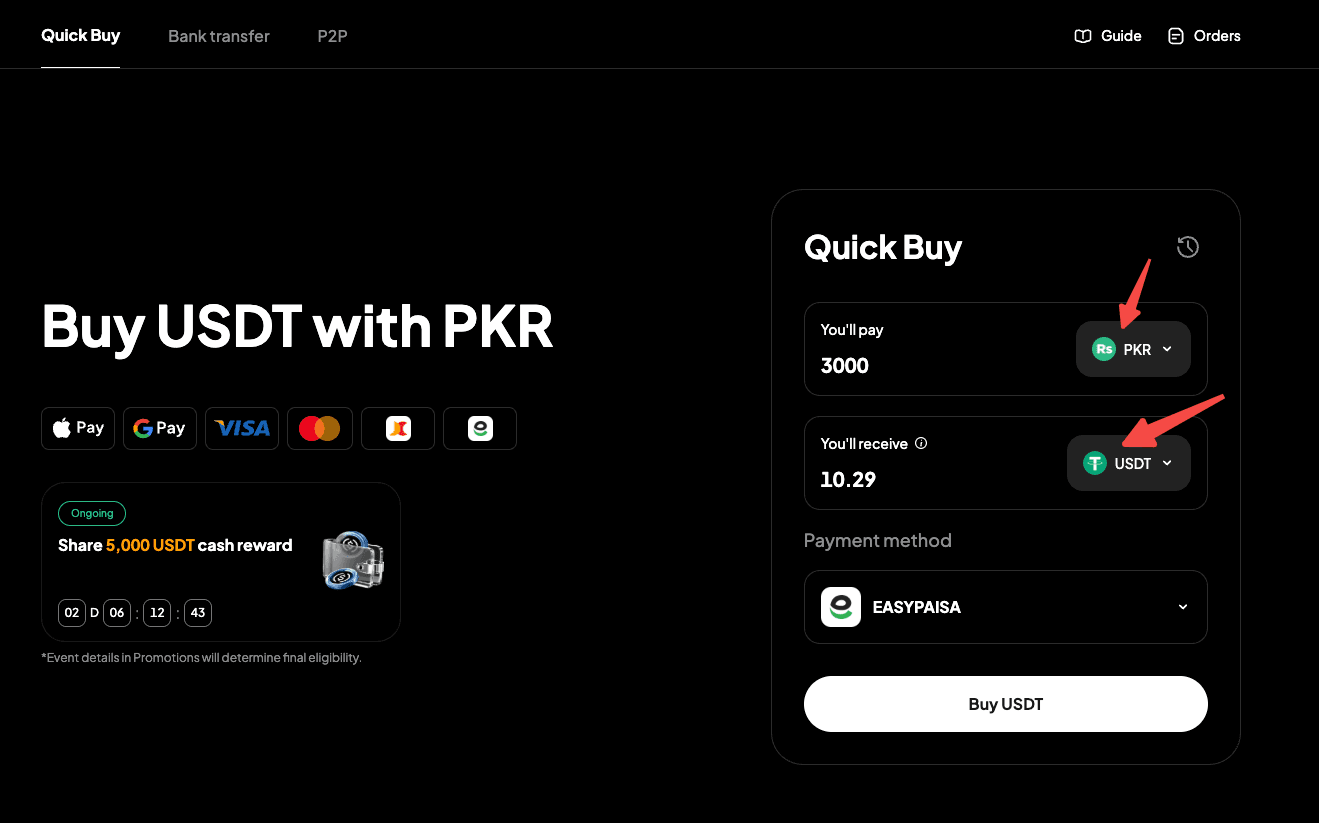
Step 1: Go to the official website, find "Buy Crypto" in the top navigation bar, and enter the "Quick Buy" page.
Step 2: Select "PKR" as your fiat currency and "USDT" as the crypto to buy. Enter the fiat amount you want to pay and see the estimated crypto you'll receive in real time.
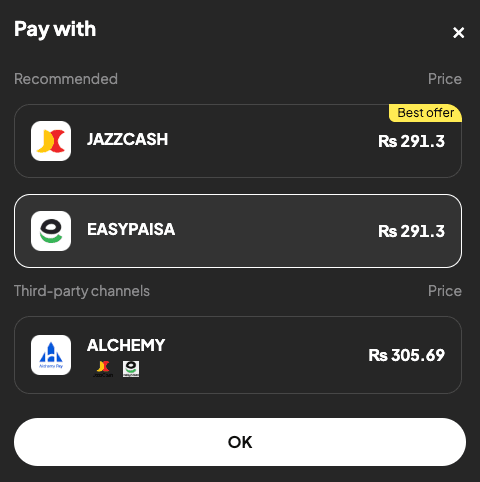
Step 3: Select "Easypaisa" in the payment method list.
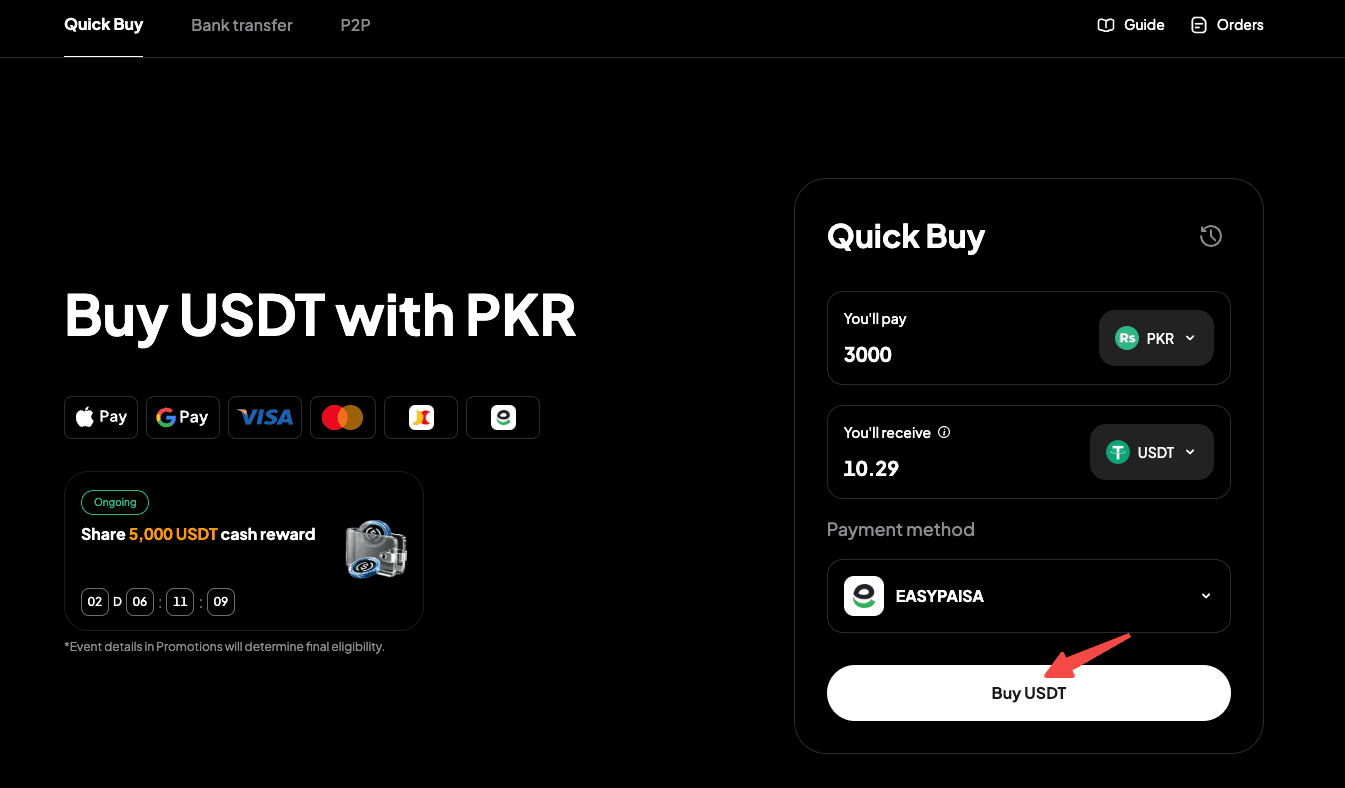
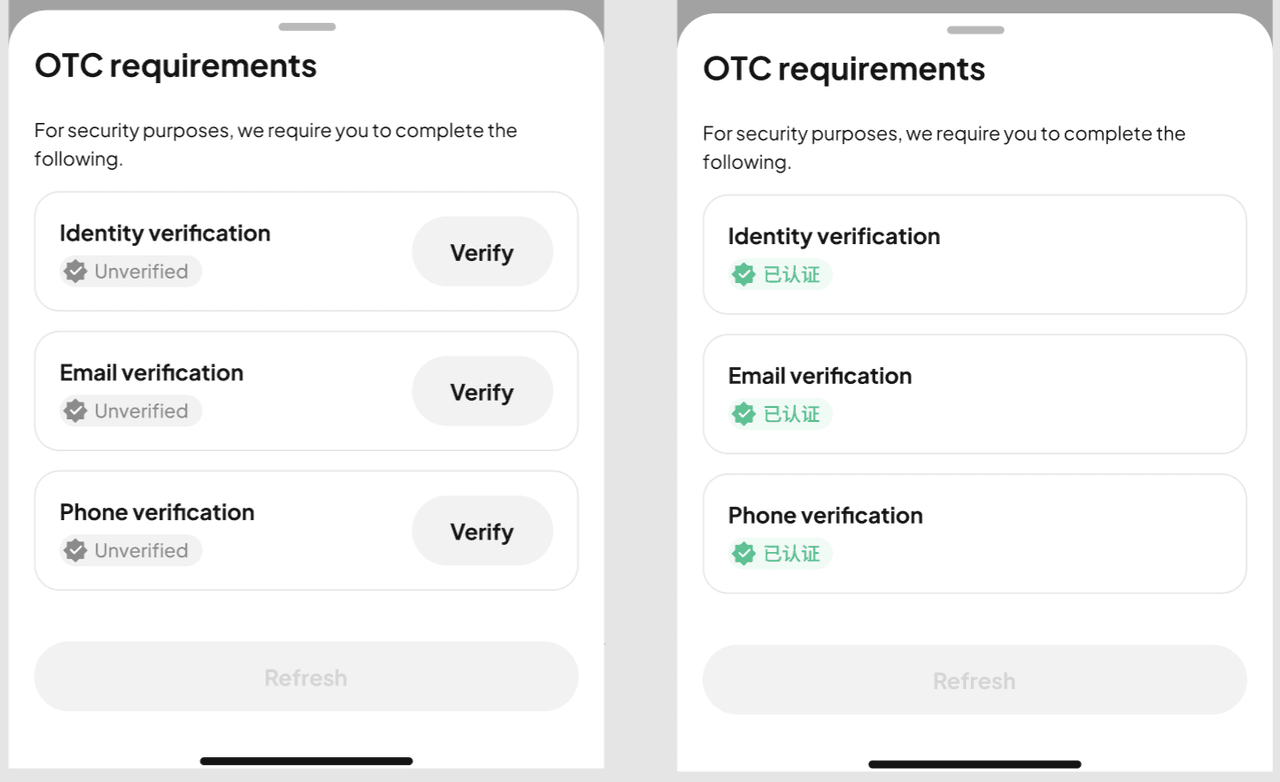
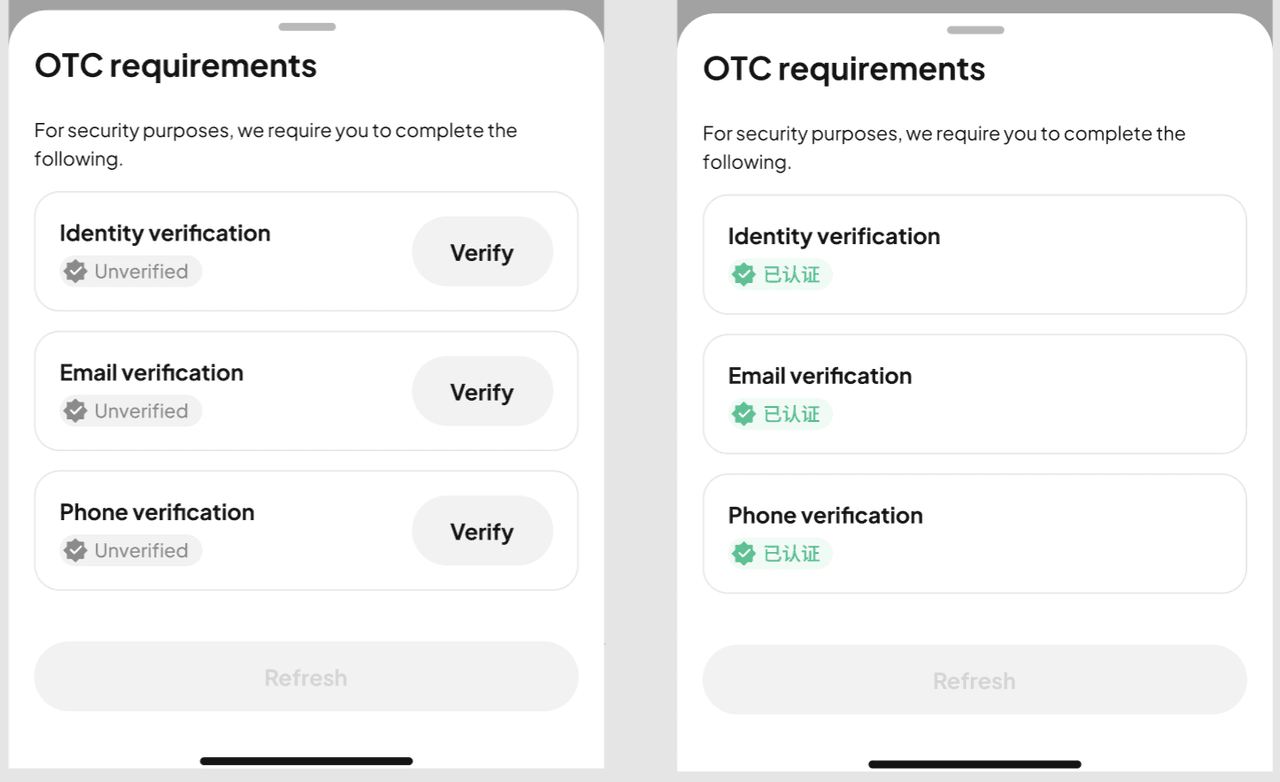
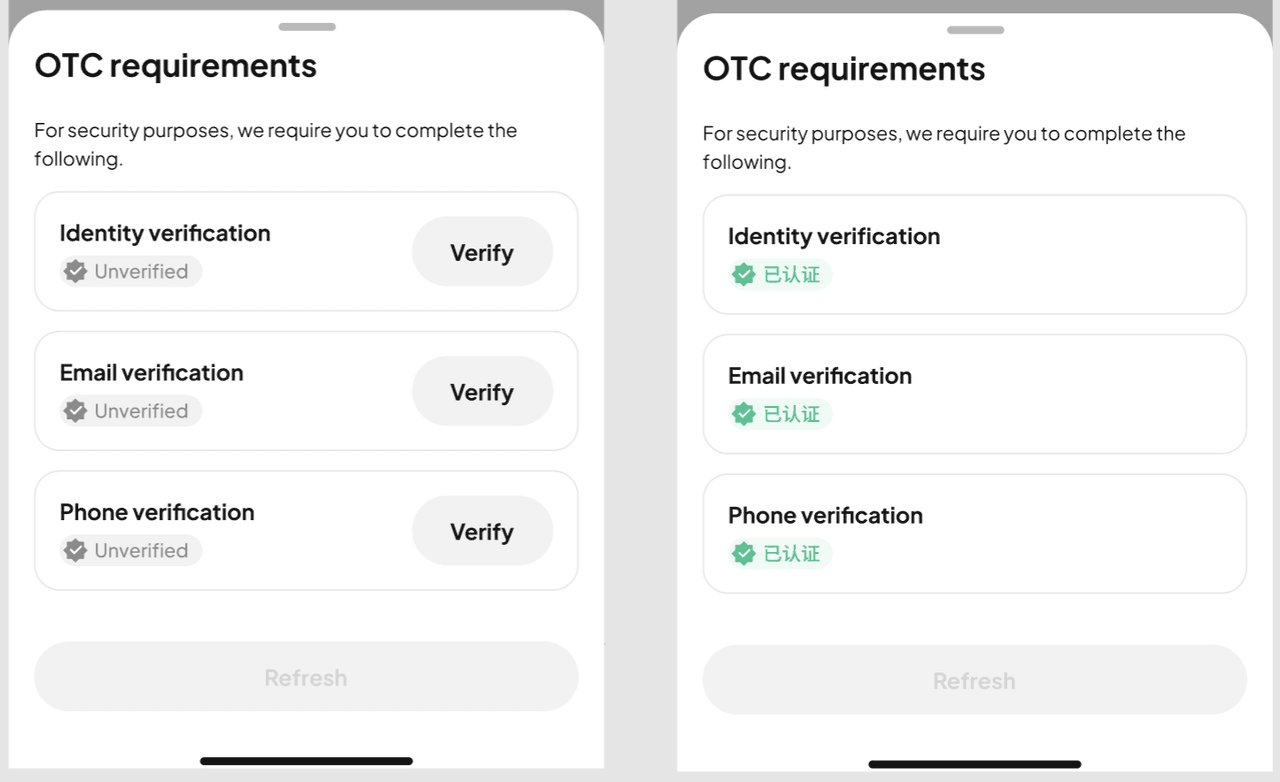
Step 4: Click "Buy USDT." Note: If you haven't completed identity verification or linked your email address and phone number, you'll be prompted to do so first (Step 5). Verified users will proceed to order confirmation (Step 6).
Step 5: Follow the on-screen instructions to complete identity verification and link your email address and phone number, then wait for approval.
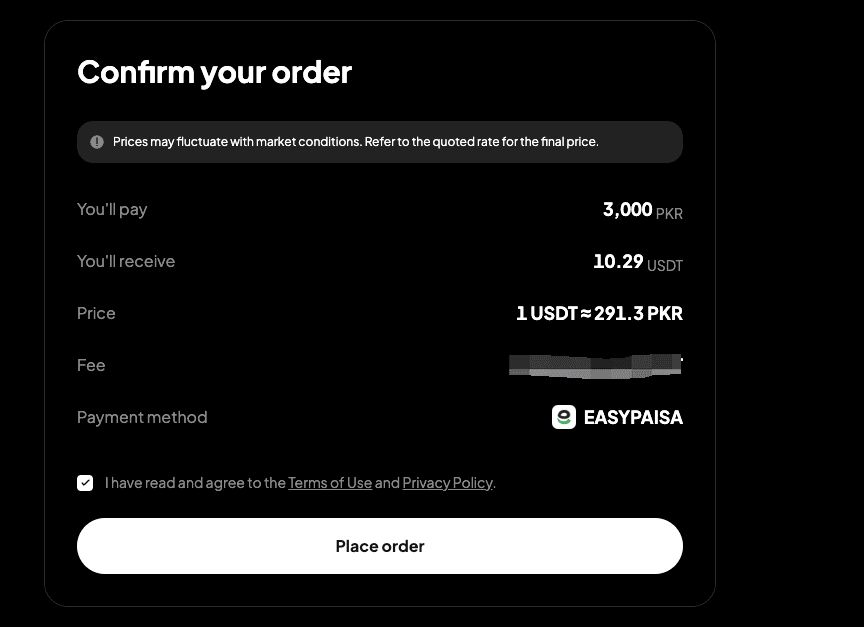
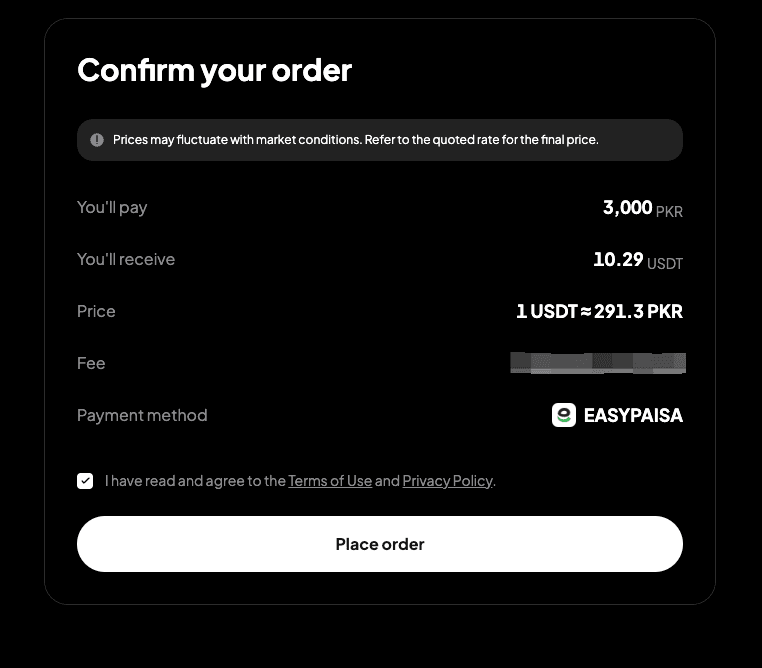
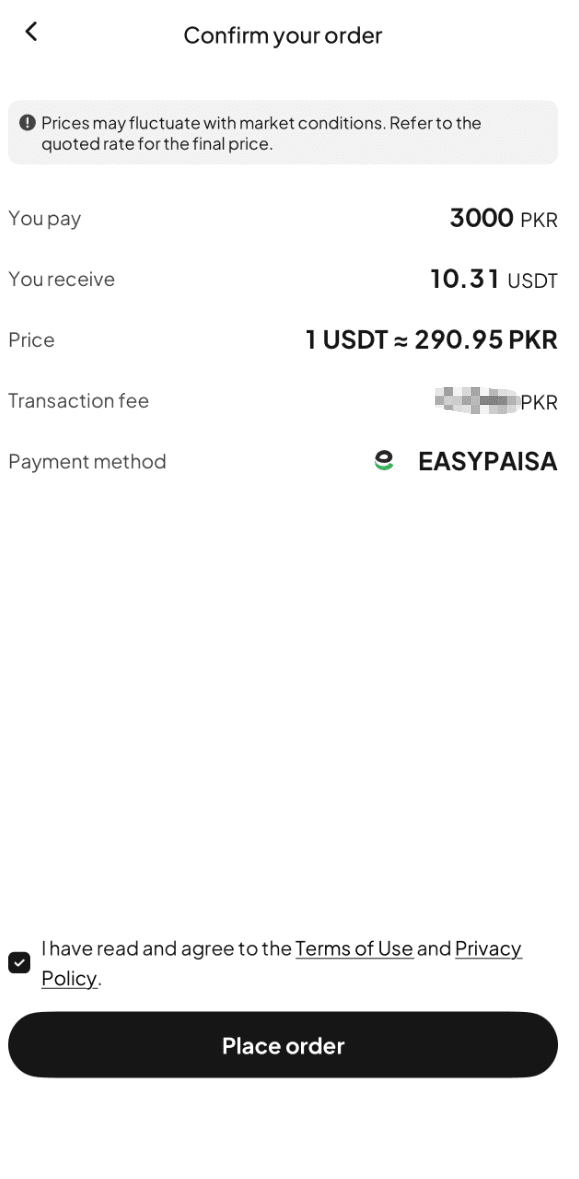
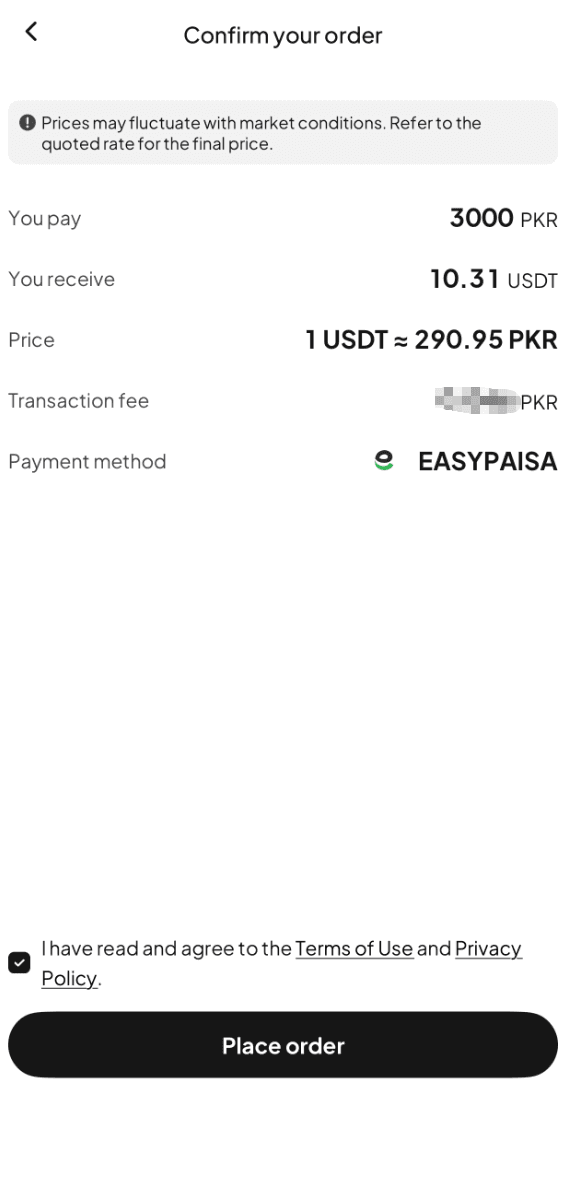
Step 6: Double check the order details, then click "Place Order" to continue.
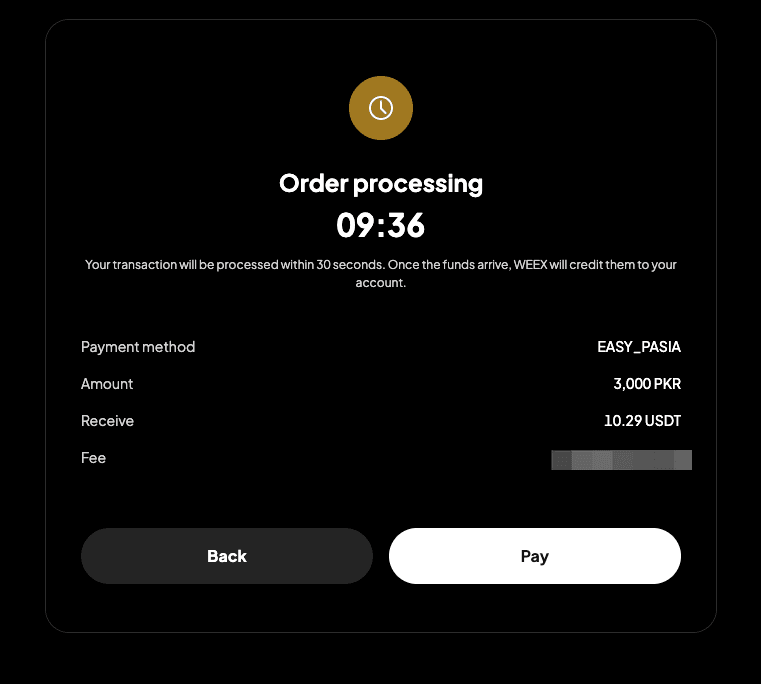
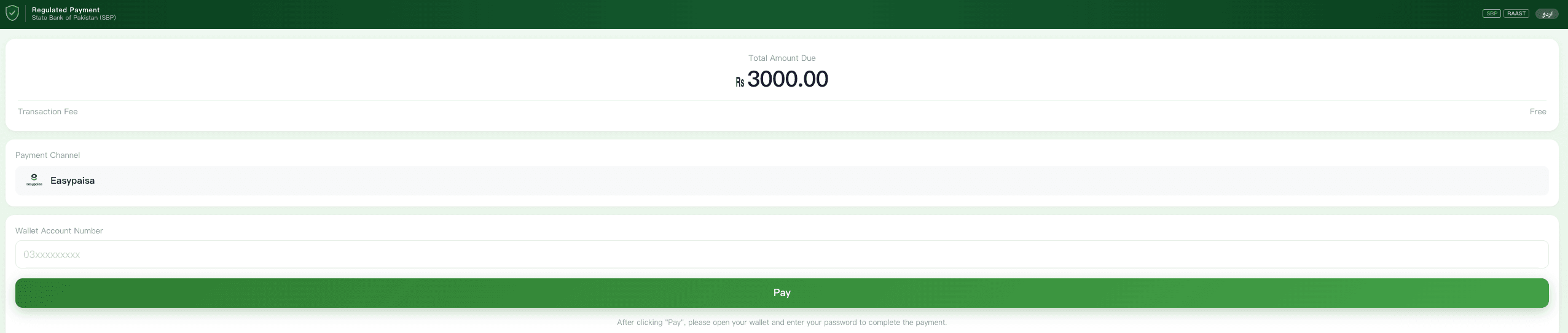
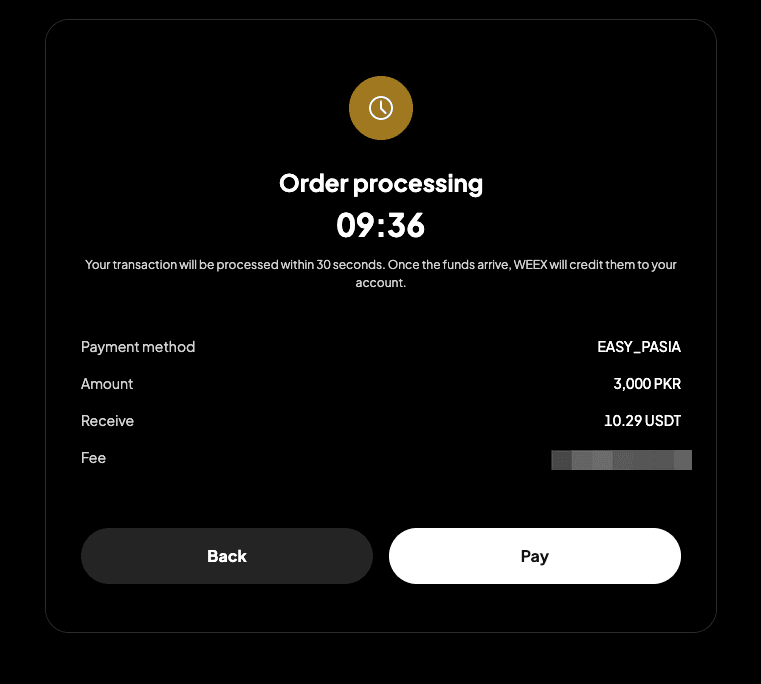
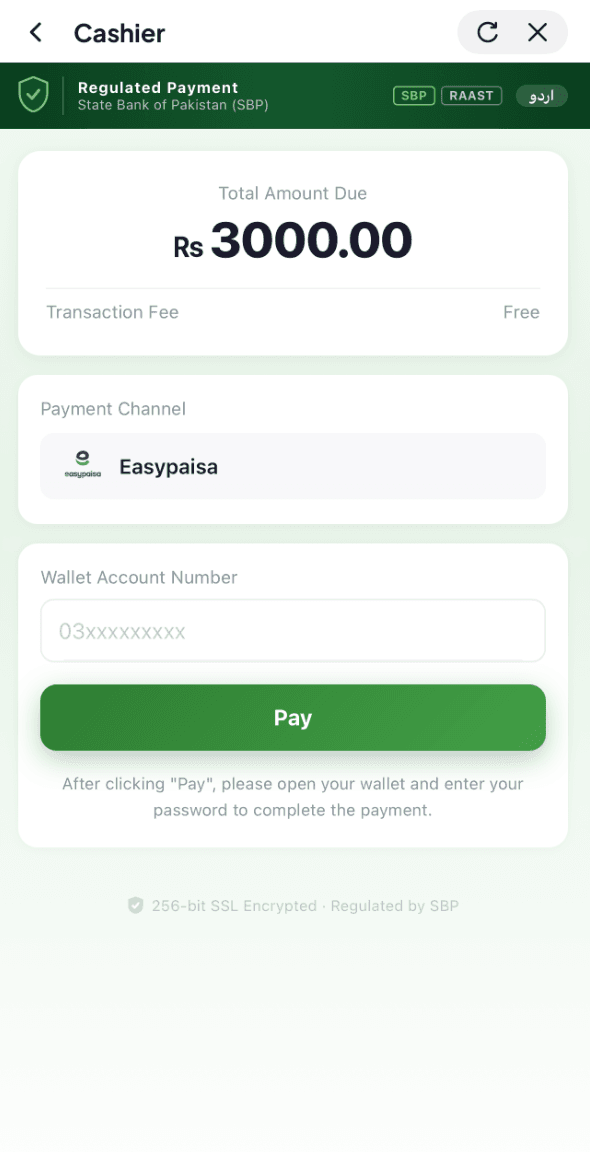
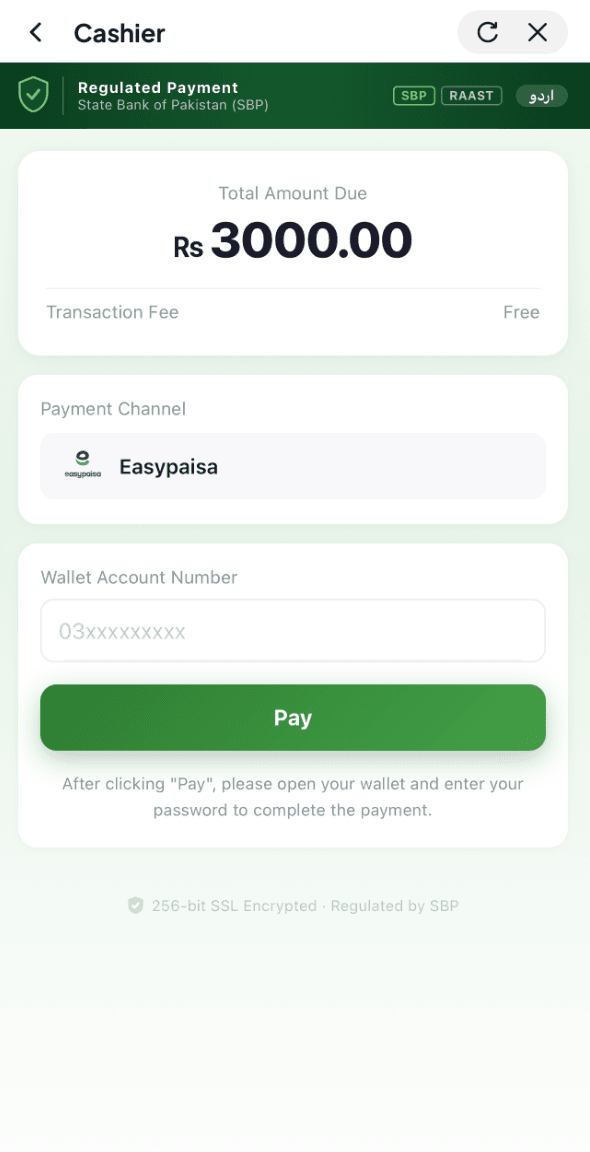
Step 7: You'll be redirected to the payment page. Complete the payment within the allotted time.
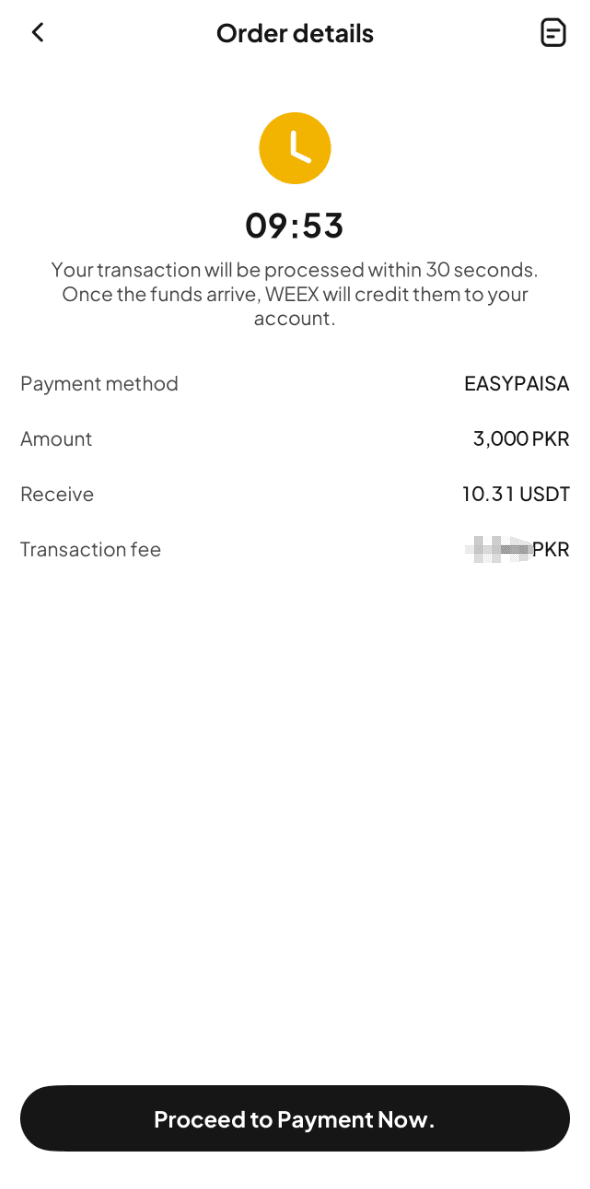
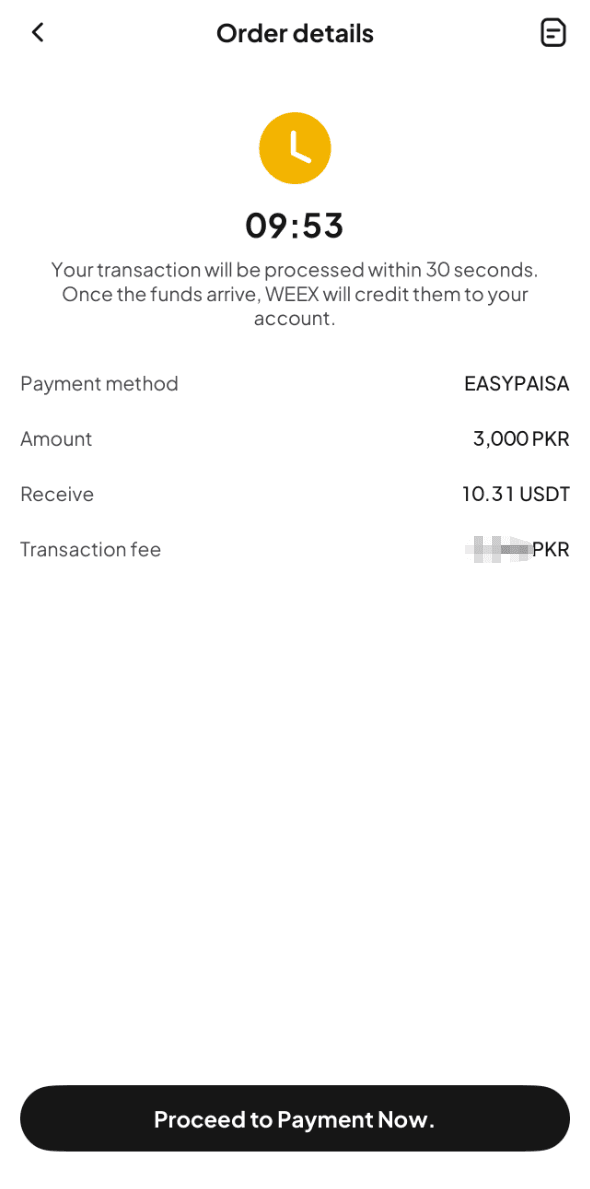
Step 8: Once the payment is completed, you'll see a "Payment completed" prompt.
Step 9: We'll process your order once payment is confirmed. You can track the status in "Fiat Orders."
Method 2
Step 1: Go to the official website, find "Buy Crypto" in the top navigation bar, and enter the "Quick Buy" page.
Step 2: Select "Bank Transfer" to proceed.
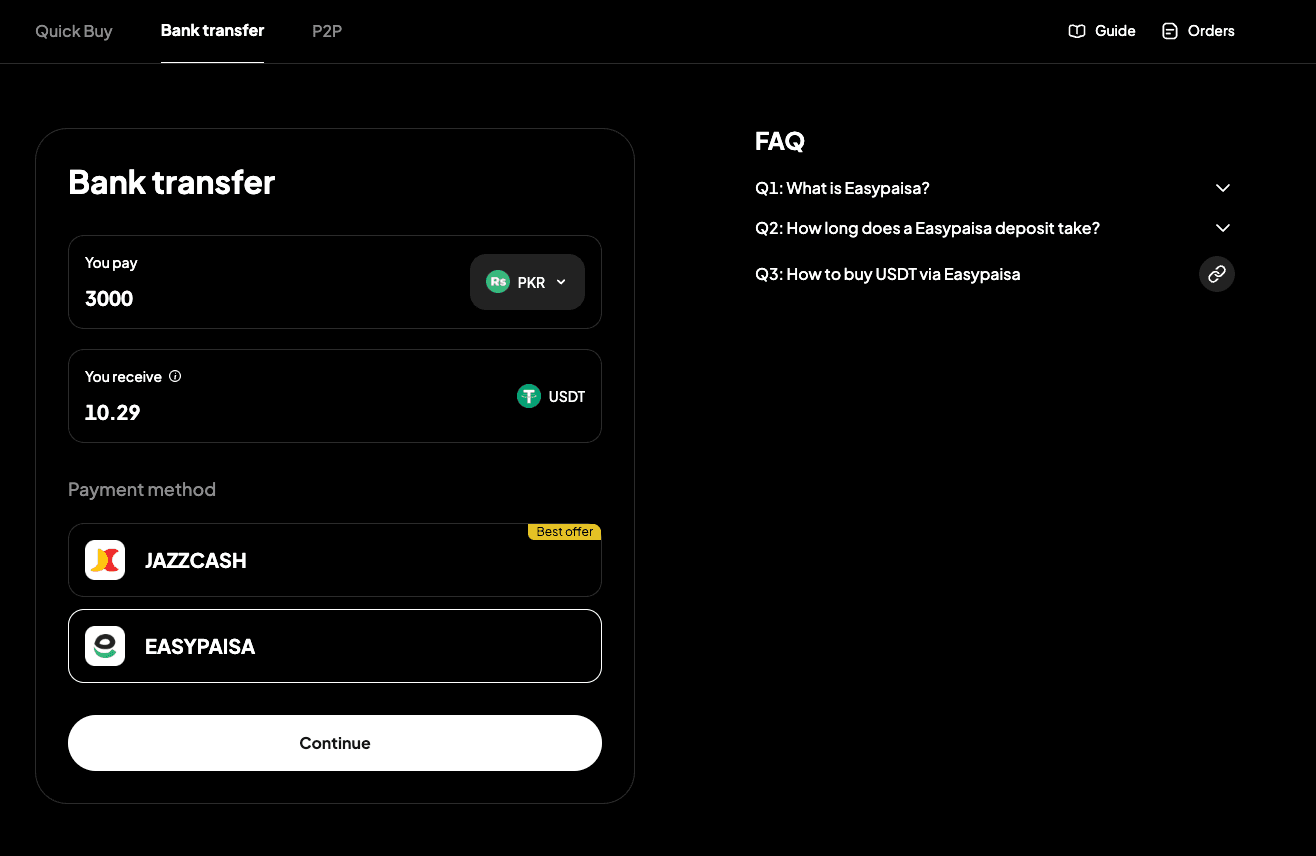
Step 3: Select "PKR" as your fiat and "Easypaisa" as your payment method. Enter the fiat amount you want to pay and see the estimated crypto you'll receive in real time.
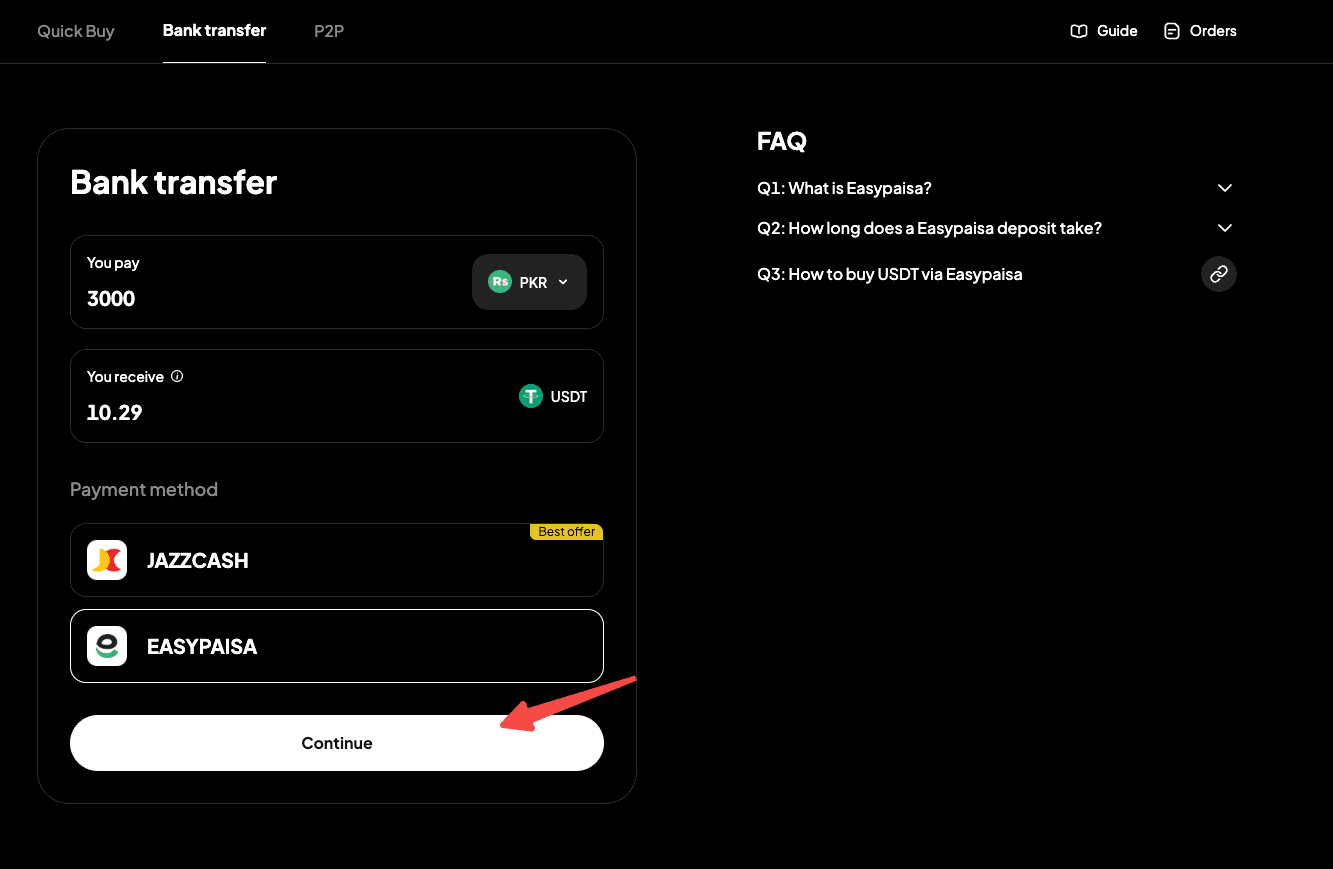
Step 4: Click "Continue" to proceed. Note: If you haven't completed identity verification or linked your email address and phone number, you'll be prompted to do so first (Step 5). Verified users will proceed to order confirmation (Step 6).
Step 5: Follow the on-screen instructions to complete identity verification and link your email address and phone number, then wait for approval.
Step 6: Double check the order details, then click "Place Order" to continue.
Step 7: You'll be redirected to the payment page. Complete the payment within the allotted time.
Step 8: Once the payment is completed, you'll see a "Payment completed" prompt.
Step 9: We'll process your order once payment is confirmed. You can track the status in "Fiat Orders."
App
Method 1
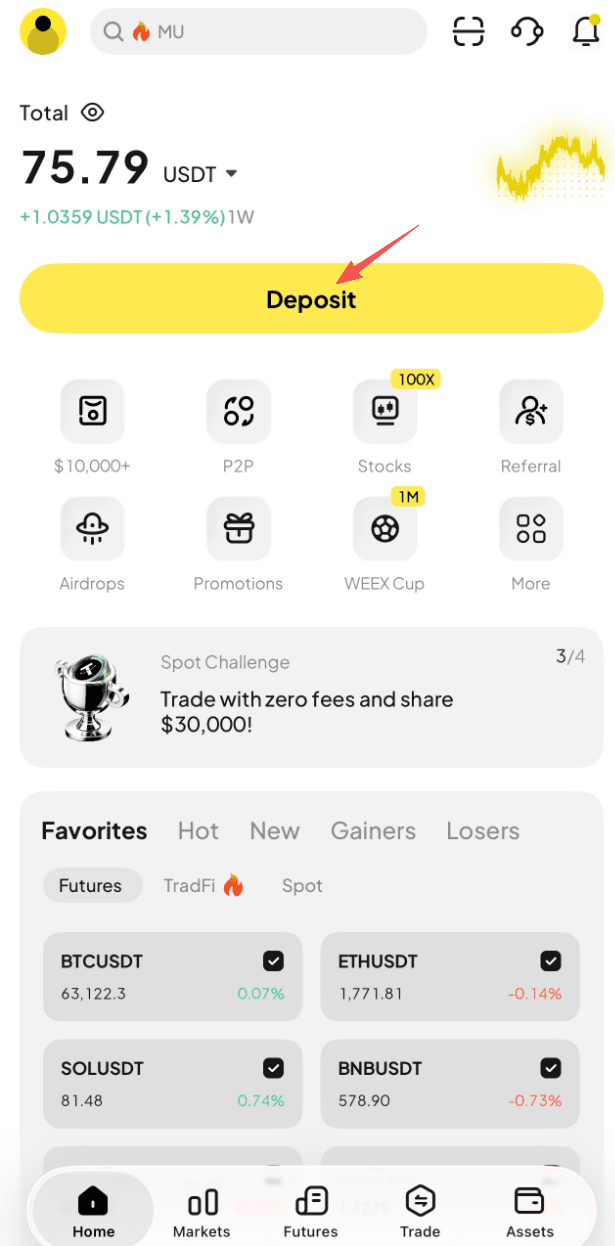
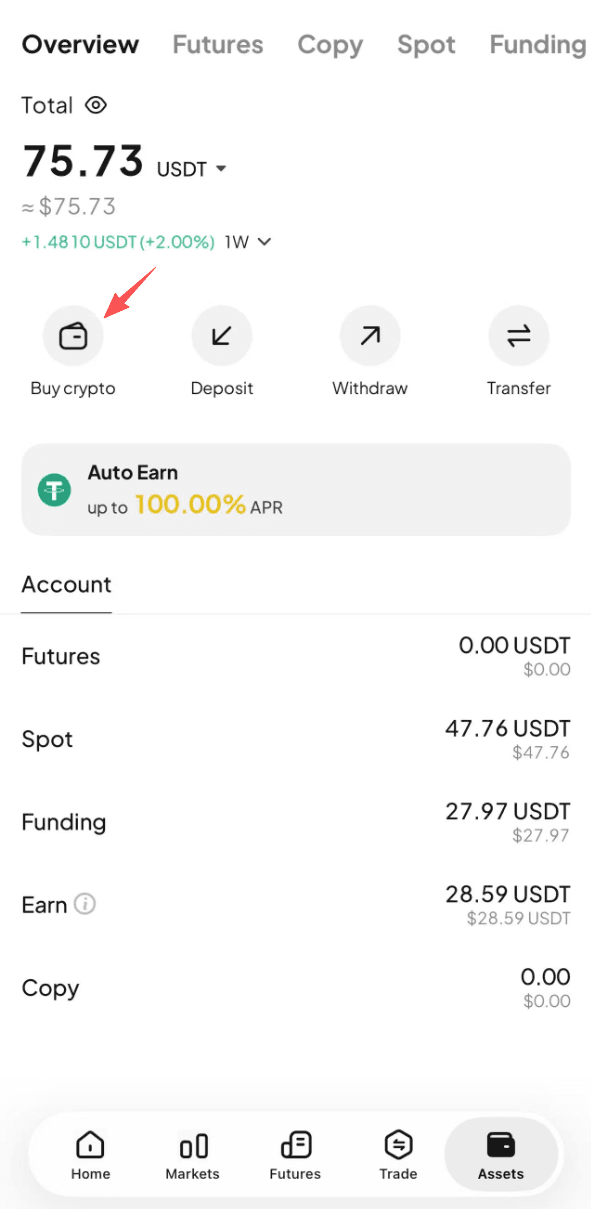
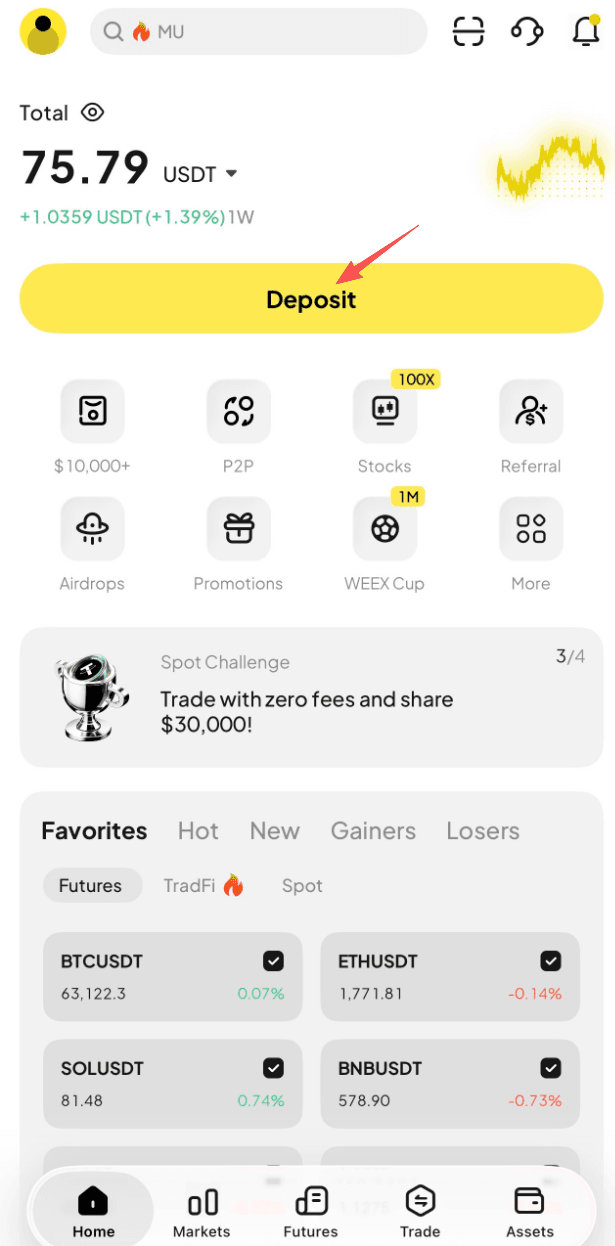
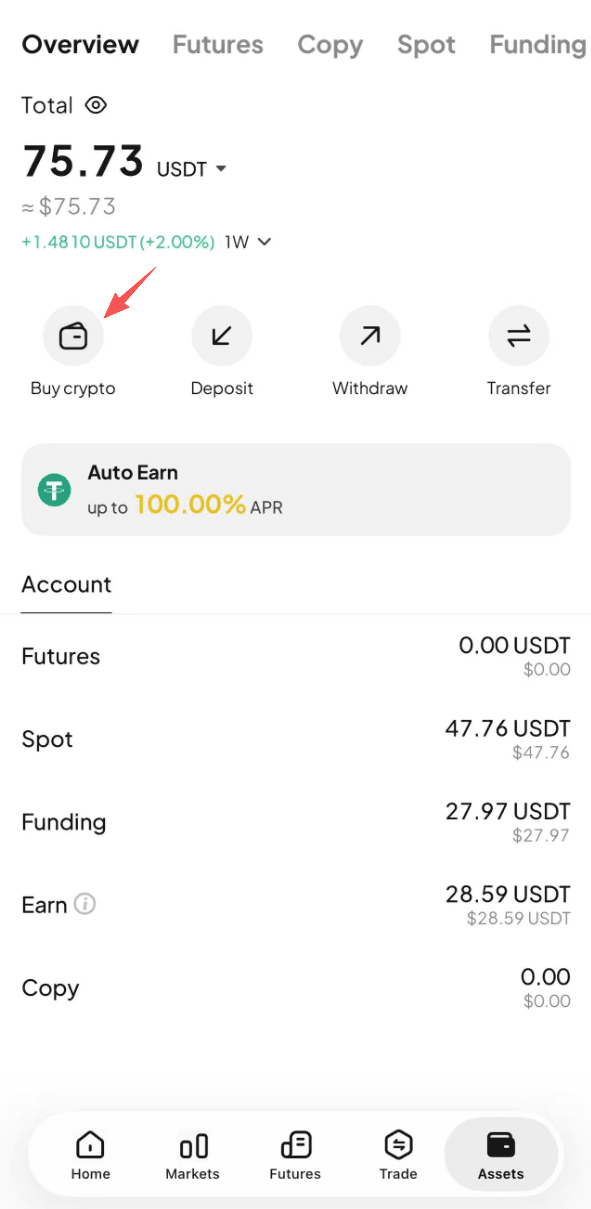
Step 1: On the app home screen, tap "Deposit," or go to "Assets" (bottom right) and enter the "Buy Crypto" page.
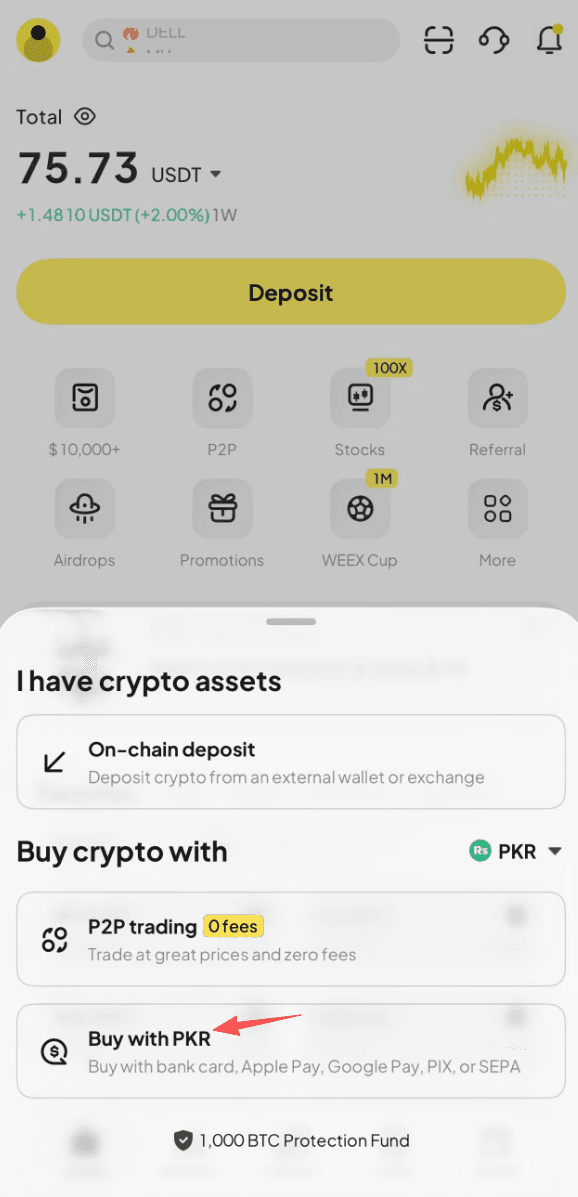
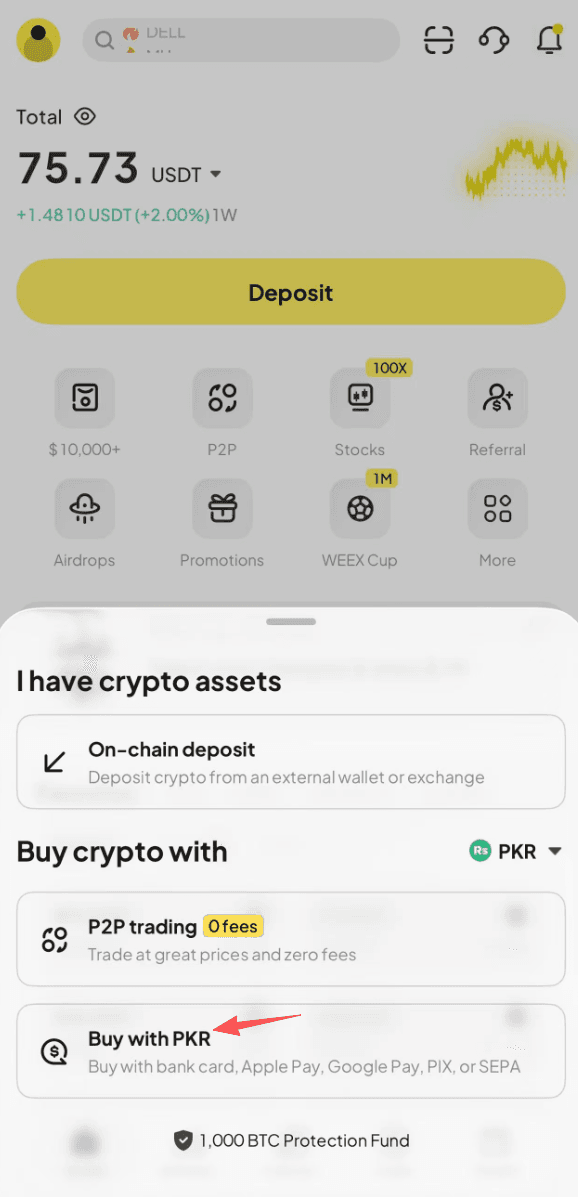
Step 2: If you tapped "Deposit", tap "Buy Crypto" to enter the Quick Buy page.
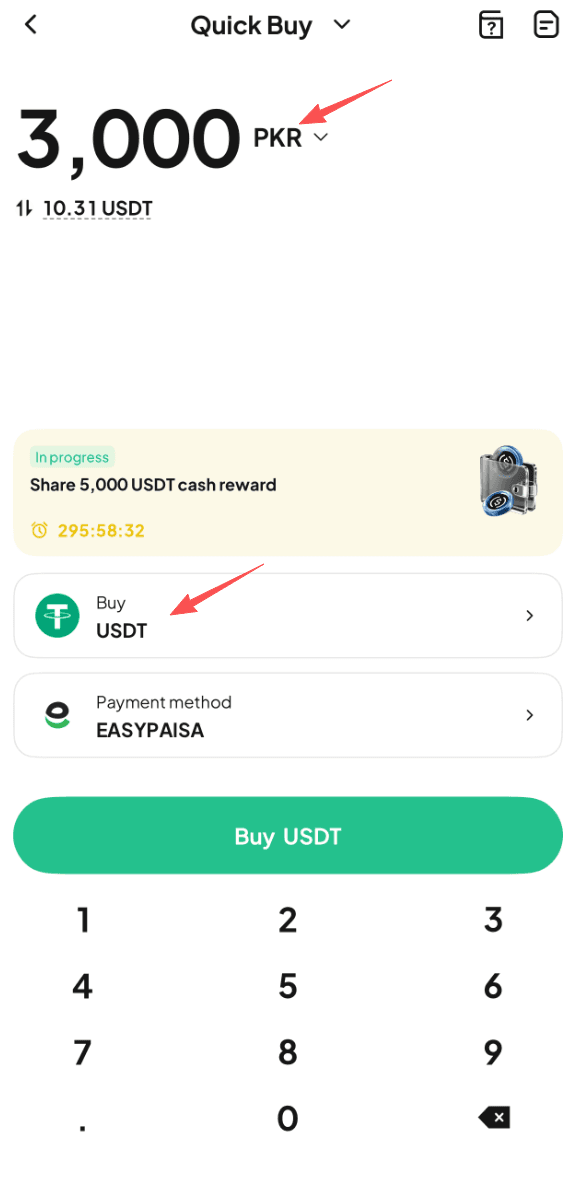
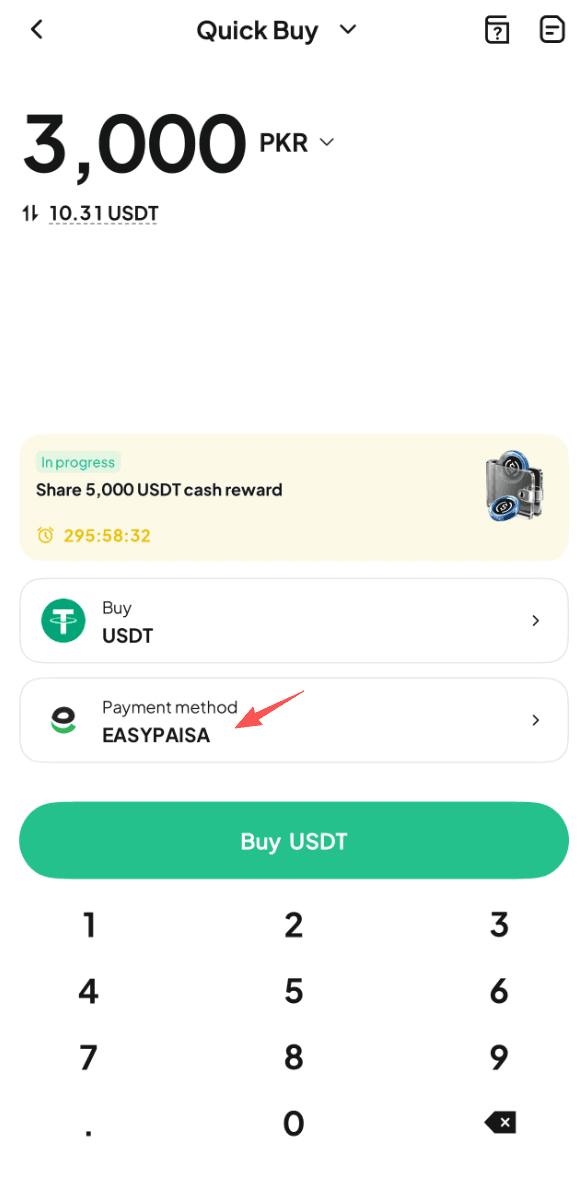
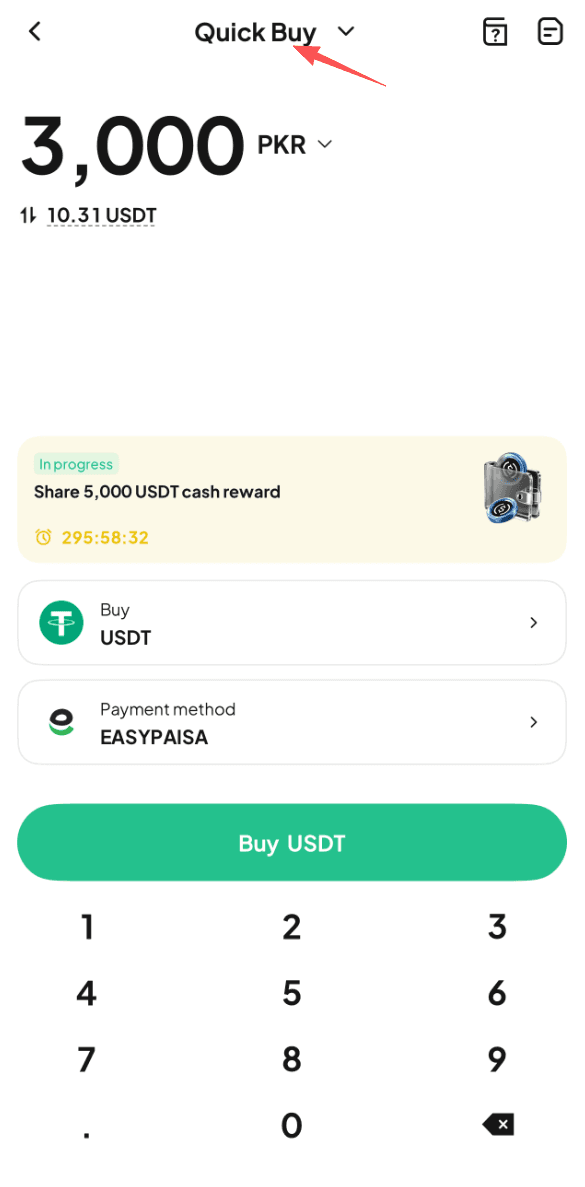
Step 3: Select "PKR" as your fiat currency and "USDT" as the crypto to buy. Enter the fiat amount you want to pay and see the estimated crypto you'll receive in real time.
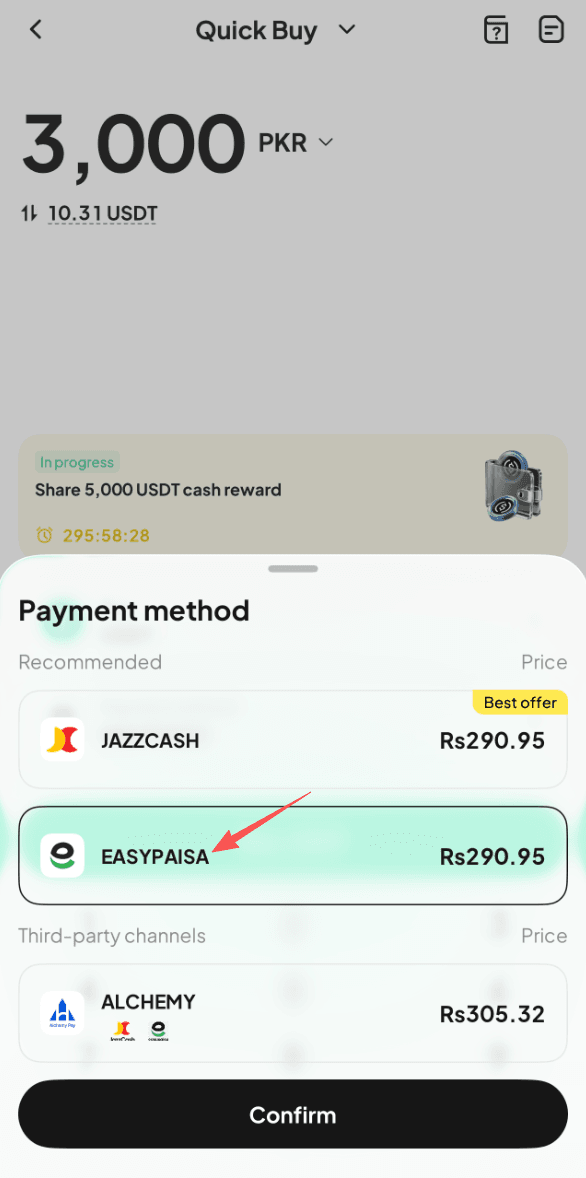
Step 4: Select "Easypaisa" in the payment method list.
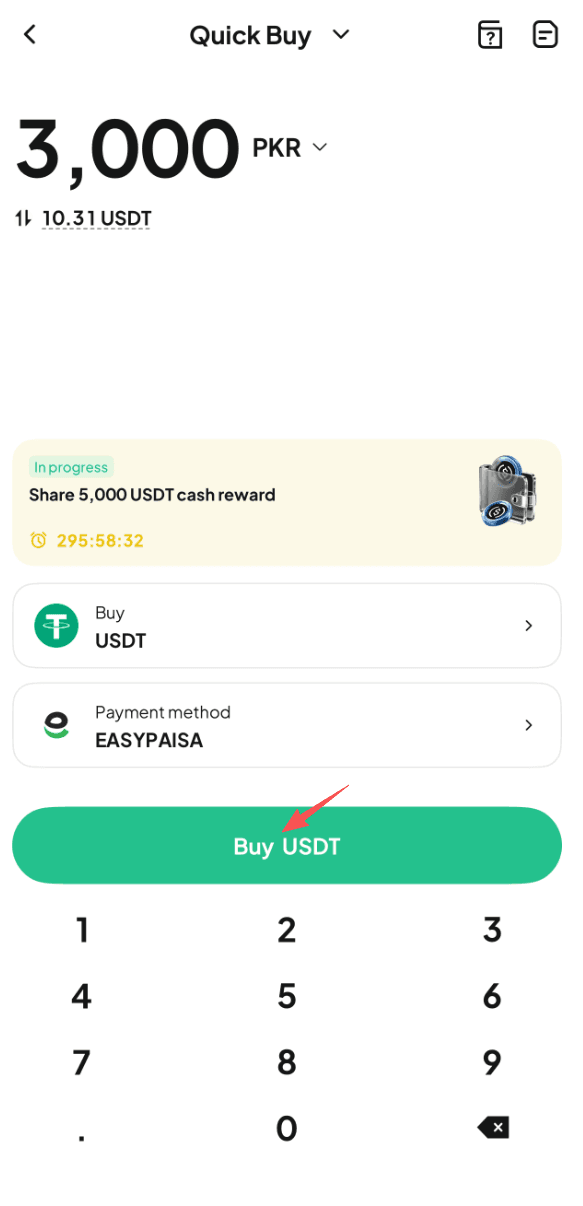
Step 5: Tap "Buy USDT" to proceed.
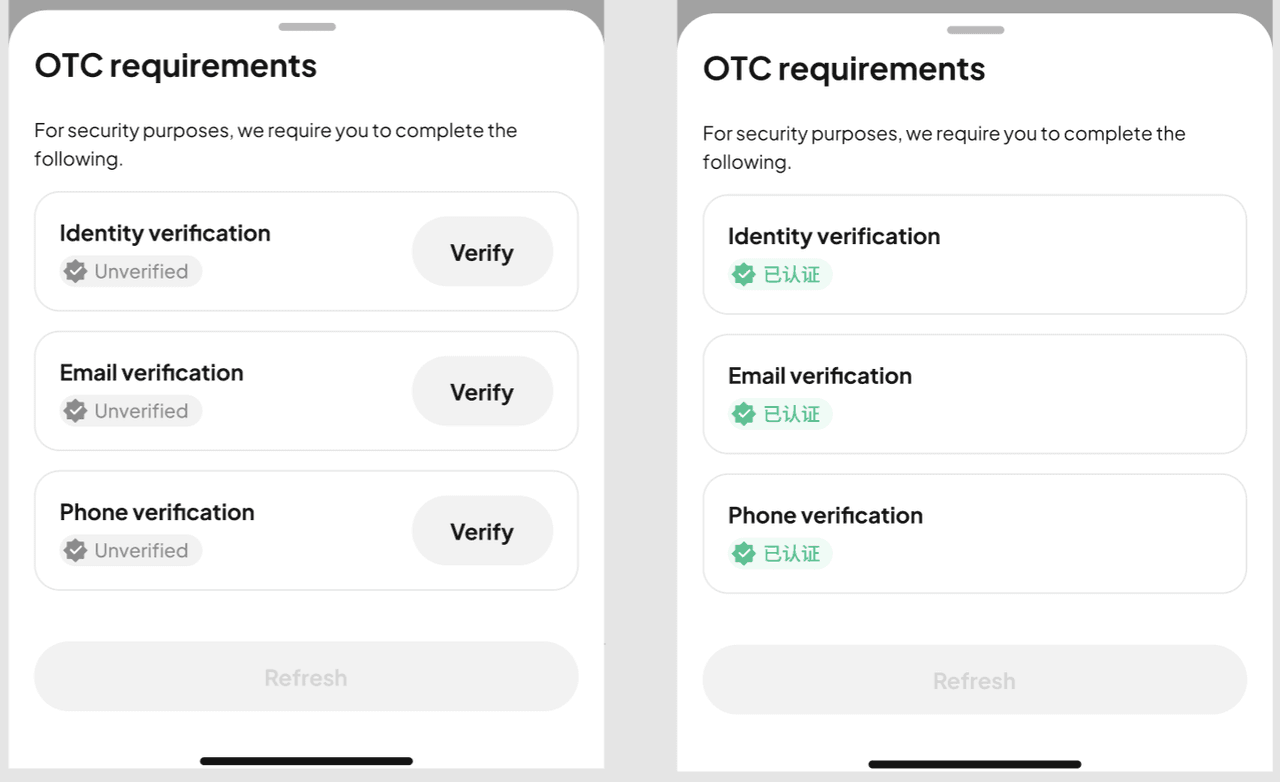
Note: If you haven't completed identity verification or linked your email address and phone number, you'll be prompted to do so first (Step 6). Verified users will proceed to order confirmation (Step 7).
Step 6: Follow the on-screen instructions to complete identity verification and link your email address and phone number, then wait for approval.
Step 7: Double check the order details, then tap "Place Order" to continue.
Step 8: You'll be redirected to the payment page. Complete the payment within the allotted time.
Step 9: Once the payment is completed, you'll see a "Payment completed" prompt.
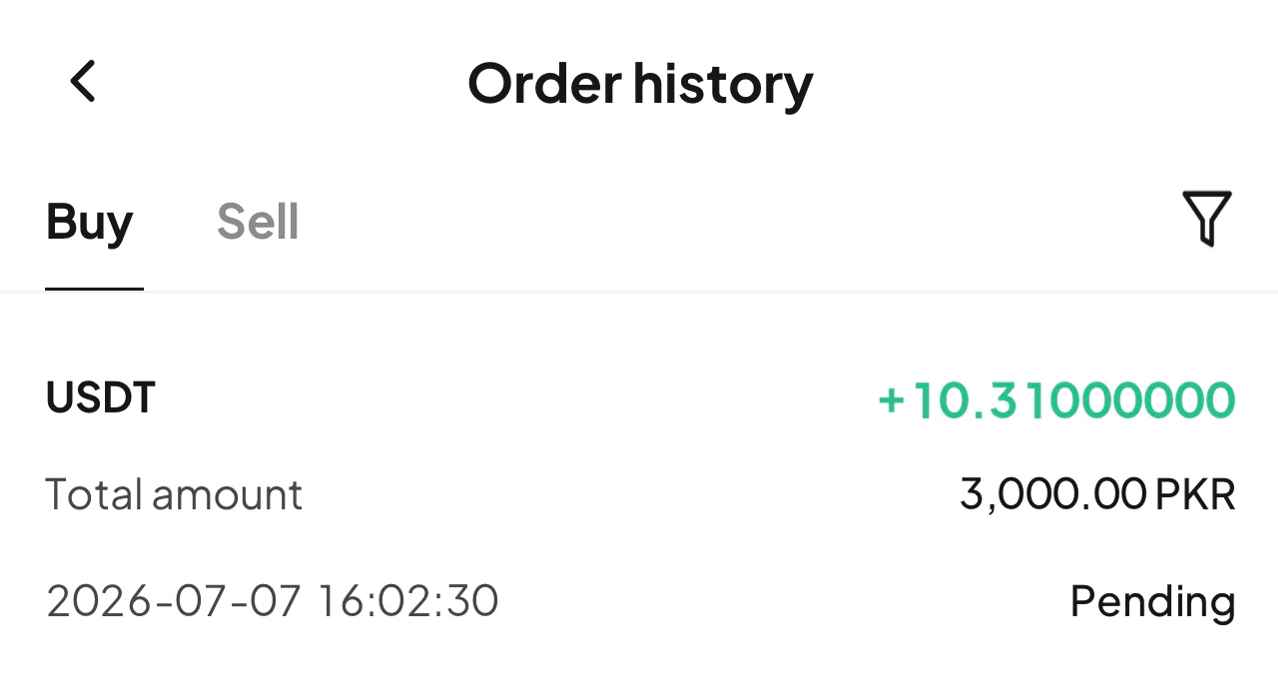
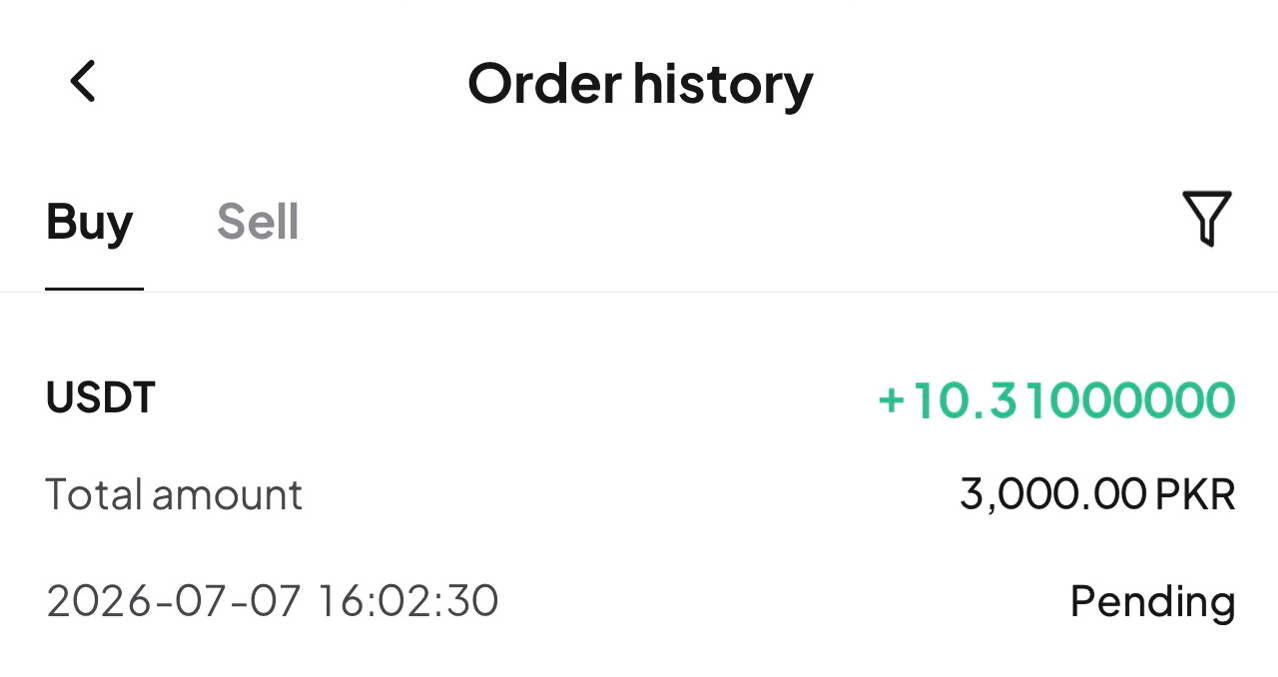
Step 10: We'll process your order once payment is confirmed. You can check the status in "Order History" (top right).
Method 2
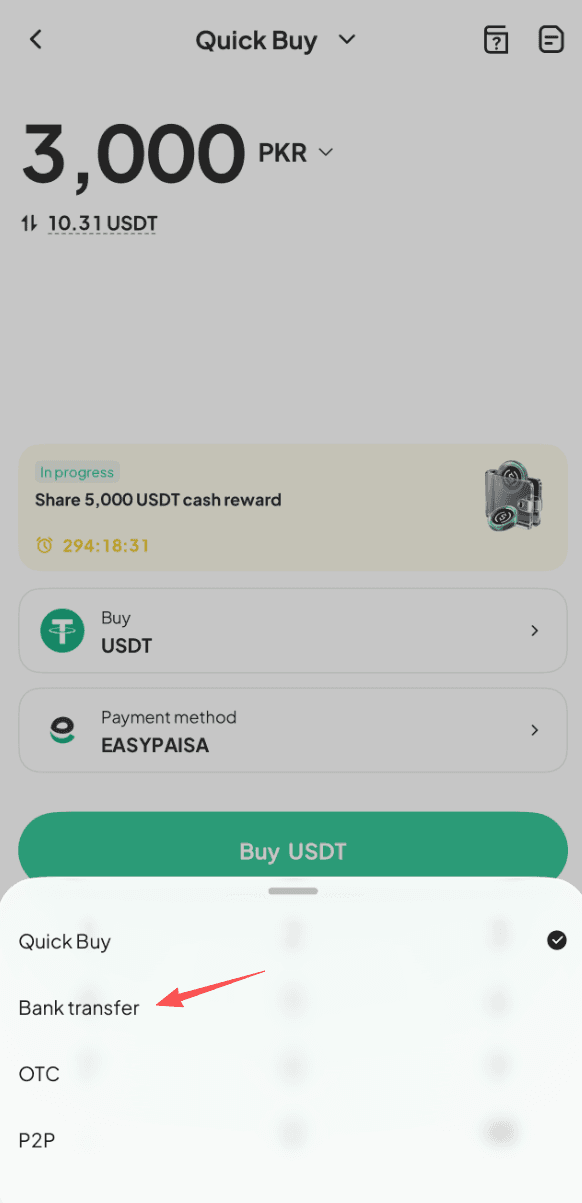
Step 1: On the app home screen, tap "Deposit," or go to "Assets" (bottom right) and enter the "Buy Crypto" page.
Step 2: Under deposit methods, select "Buy Crypto."
Step 3: Switch to "Bank Transfer."
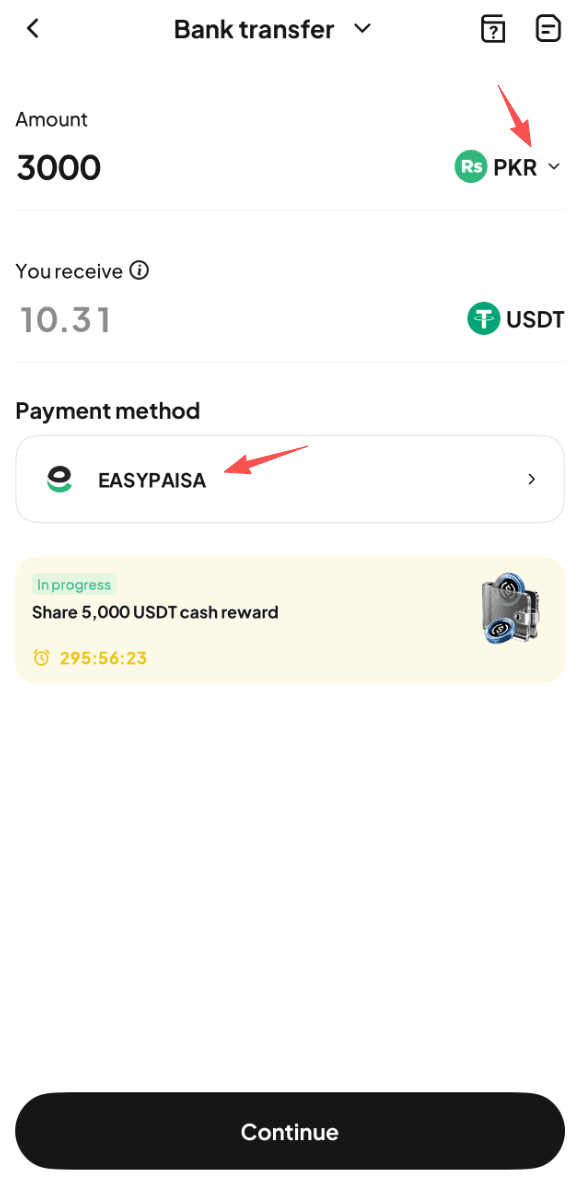
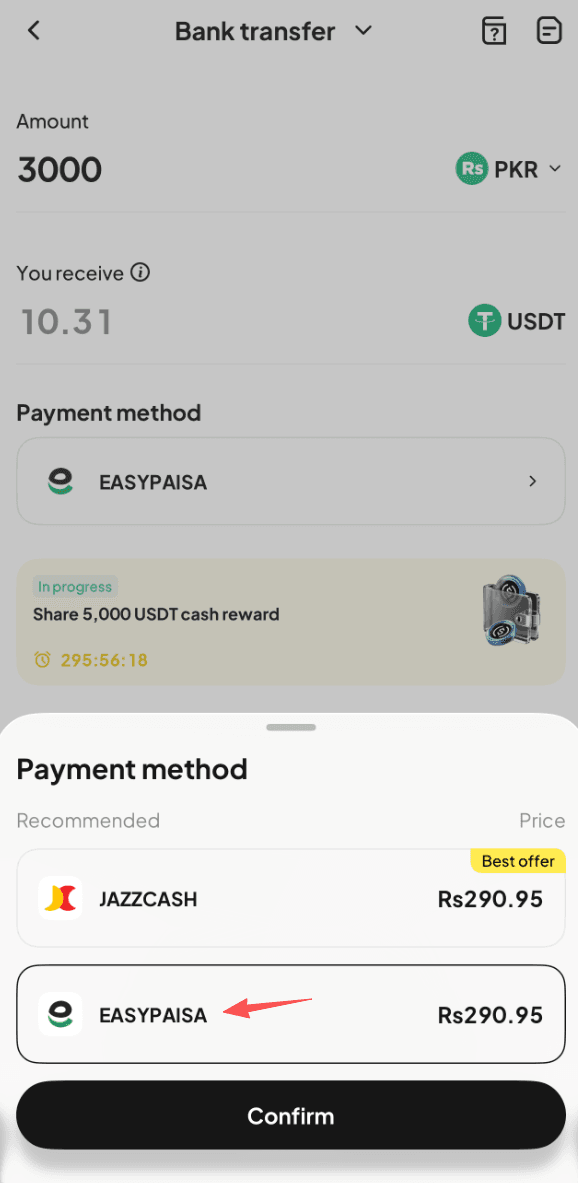
Step 4: Select "PKR" as your fiat currency, then enter the amount you want to pay and choose "Easypaisa" as your payment method. Estimated crypto amount will be calculated in real time.
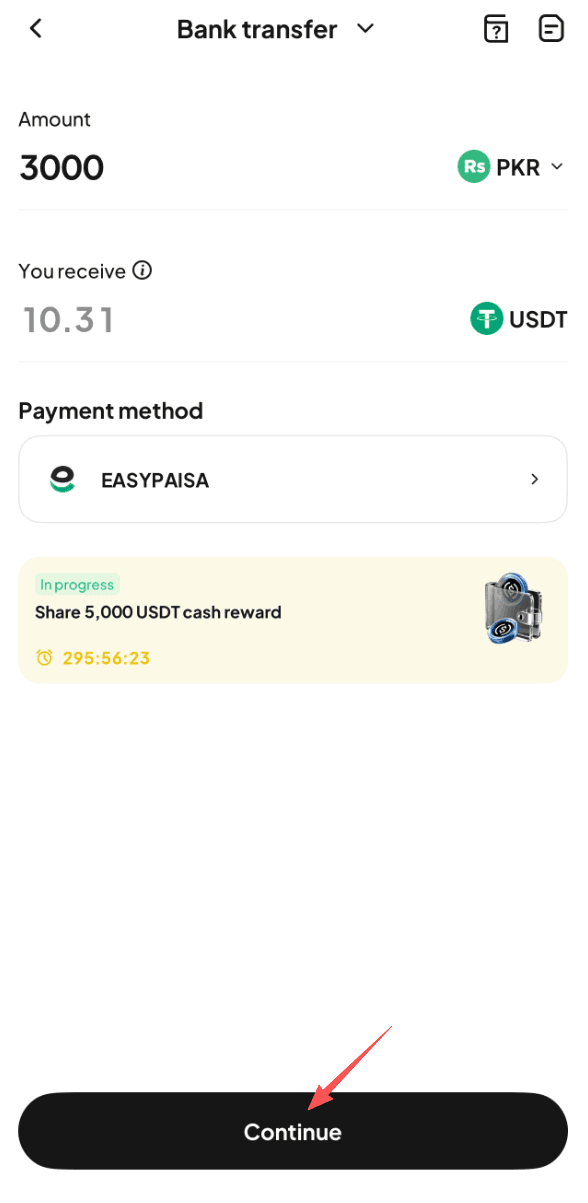
Step 5: Tap "Continue" to proceed. Note: If you haven't completed identity verification or linked your email address and phone number, you'll be prompted to do so first (Step 6). Verified users will proceed to order confirmation (Step 7).
Step 6: Follow the on-screen instructions to complete identity verification and link your email address and phone number, then wait for approval.
Step 7: Double check the order details, then tap "Place Order" to continue.
Step 8: You'll be redirected to the payment page. Complete the payment within the allotted time.
Step 9: Once the payment is completed, you'll see a "Payment completed" prompt.
Step 10: We'll process your order once payment is confirmed. You can check the status in "Order History" (top right).